 Customer Hub
Exchange
The Exchange configuration sets up an Exchange account for email, contacts and calendar on Android Classic devices. Server address, account data, sender details and synchronization settings are defined centrally. Placeholders take the email address, user name and sender name from the assigned user per device, so a single configuration covers all users.
Prerequisites
- A policy can contain several Exchange configurations, e.g. for different accounts.
- Placeholders such as
${user.email}and the user certificate are resolved based on the user assigned to the device. Without an assigned user, they remain empty. - Use Secure Mail Gateway requires the Secure Mail Gateway → to be configured and enabled in the settings.
- Whether an Exchange account can be created via device management depends on the device manufacturer and the Android version.
General
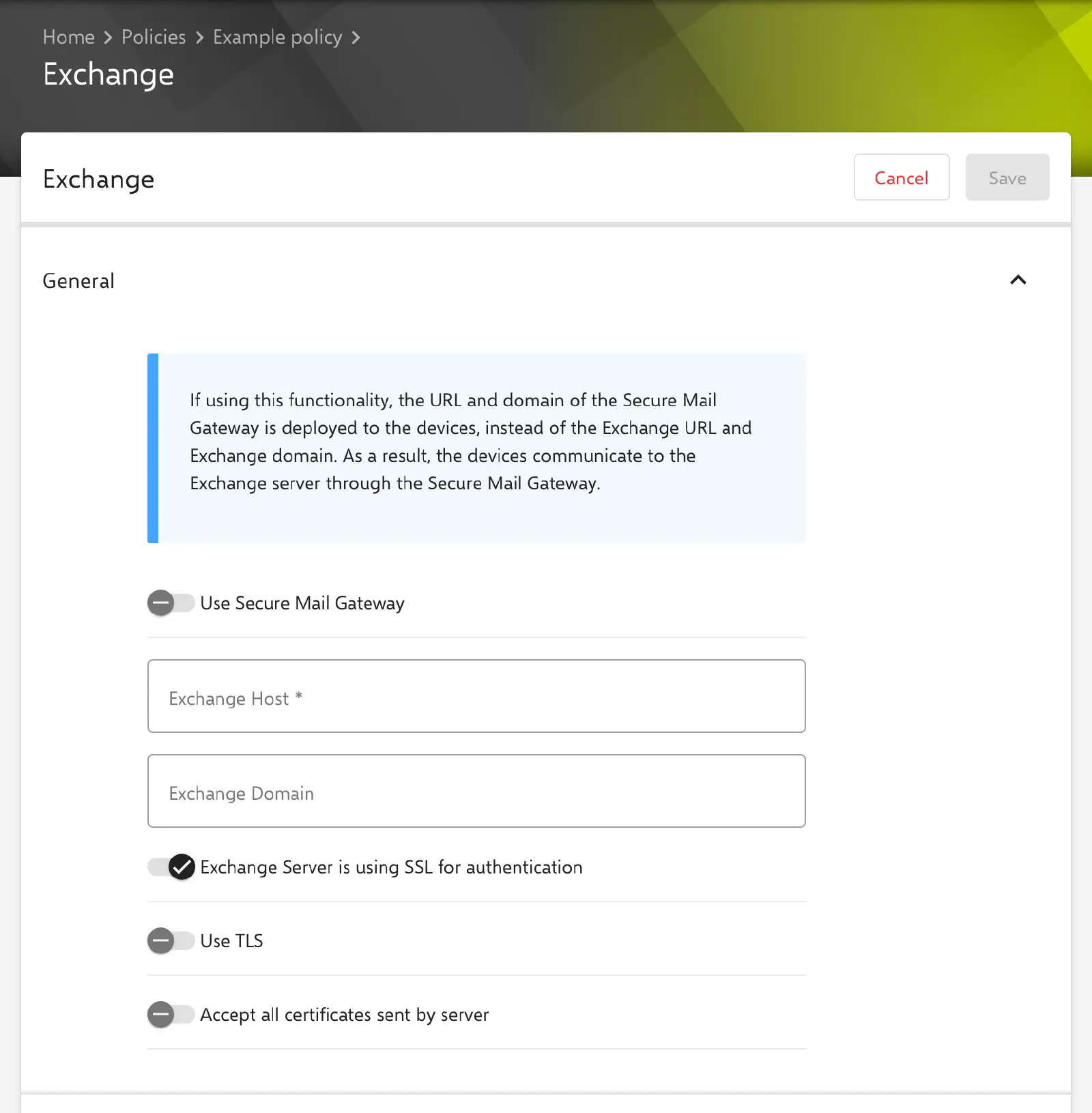
- Use Secure Mail Gateway (default: off): Instead of Exchange Host and Exchange Domain, the SMG Service URL (without
https://) is deployed to the devices as host and the unique name of the organization as domain. The devices then communicate with the Exchange server through the Secure Mail Gateway. The Exchange Host and Exchange Domain fields are locked in this case. - Exchange Host (mandatory): address of the Exchange server without protocol, e.g.
mail.example.com. A value withhttps://is rejected when saving. - Exchange Domain: optional domain of the account.
- Exchange Server is using SSL for authentication (default: on): The connection to the server is encrypted.
- Use TLS (default: off): The connection is established via TLS.
- Accept all certificates sent by server (default: off): The device accepts any certificate sent by the server, including an untrusted one. The option is therefore only suitable for test environments.
If the Secure Mail Gateway is not configured or disabled, Use Secure Mail Gateway cannot be switched on and the form shows a notice. If Android or individual Android versions are blocked in the Secure Mail Gateway settings, the form shows a warning, as these devices cannot connect to the Exchange server.
Account settings
- Account name (mandatory): name under which the account is displayed on the device.
- Email address (mandatory): full email address of the account. The Use the user’s email address toggle enters the placeholder
${user.email}and locks the field. Other entries must be a valid email address or a placeholder. - User name (mandatory): login name on the Exchange server. The options are Manually (free input, default), Use the user’s username (
${user.name}) and Use the user’s email address (${user.email}). - Password: optional password of the account. The value entered is transferred unchanged to all devices of the policy; there is no placeholder for the password of the respective user. For personal accounts, the field therefore usually remains empty and the password is entered on the device.
- Make this account default (default: off): The account is set as the default account on the device.
As of Relution 26.5.5, a stored password is no longer displayed but masked (*****). If the field is left unchanged when editing, the stored value is kept; a newly entered value replaces it. If the content of the field is deleted and the configuration is saved, the stored password is removed. More information: Passwords and keys in configurations →
Certificate
Certificate defines the certificate the device uses to log in to the Exchange server. The setting is optional and requires the Exchange server to accept certificate-based login.
- Select certificate (default): Select opens a selection of PKCS1 or PKCS#12 certificates from Certificate management →. The cross on the selected certificate removes the selection again.
- Use user certificate: The certificate of the Exchange category from the profile of the user assigned to the device is used (see User certificates →). The optional Certificate name field selects a specific certificate by name if the user has several Exchange certificates and may contain placeholders. If left blank, the longest-lived certificate is used.
If no user certificate can be determined, e.g. because no user is assigned to the device, the configuration is transferred without a certificate.
Sender settings
- Sender name of the email (mandatory): name shown as sender when sending. The Use the user’s first and last name toggle enters the placeholder
${userName}and locks the field. The placeholder is formed from the last name and first name of the assigned user in this order, e.g.Doe John. - Signature: optional text, also multi-line, used as the email signature.
Synchronization settings
The synchronization settings are divided into the sections General, Email and Calendar.
General
- User is allowed to overwrite synchronization settings (default: off): The synchronization settings may be changed on the device.
- Synchronize contacts (default: on)
- Synchronize calendar (default: on)
- Sync settings when roaming (mandatory): Use Sync settings (default) also synchronizes when roaming according to the settings below, Manual only synchronizes on request when roaming.
- Synchronization interval (mandatory): Automatic Push (default), Never, 5 Minutes, 10 Minutes, 15 Minutes, 30 Minutes, 1 Hour, 4 Hours or 12 Hours.
- Max. retrival size (mandatory): extent to which new emails are downloaded. The options are Headers only, 0.5 KB, 1 KB, 2 KB, 5 KB, 10 KB, 20 KB, 50 KB, 100 KB and ALL (default).
- Synchronization period (mandatory): period for which emails are kept on the device: 1 Day, 3 Days, 1 Week (default), 2 Weeks or 1 Month.
- Notify user on receiving new email (default: off)
Calendar
- Synchronization period (mandatory): period for which calendar entries are synchronized: 1 Day, 3 Days, 1 Week, 2 Weeks (default) or 1 Month.
Special notes
- Available placeholders: Below the form, the portal lists the user placeholders that can be used in the text fields.
- Export: If a certificate is selected via Select certificate, the configuration is not included in the policy export →.
Related topics
- Available configurations → — All configurations for Android Classic at a glance.
- Secure Mail Gateway → — Securing the devices’ Exchange access through the Secure Mail Gateway.
- Certificate → — Installing certificates without a private key on Android Classic devices.
- Exchange for iOS → — The corresponding configuration for iOS devices.