 Customer Hub
Passcode
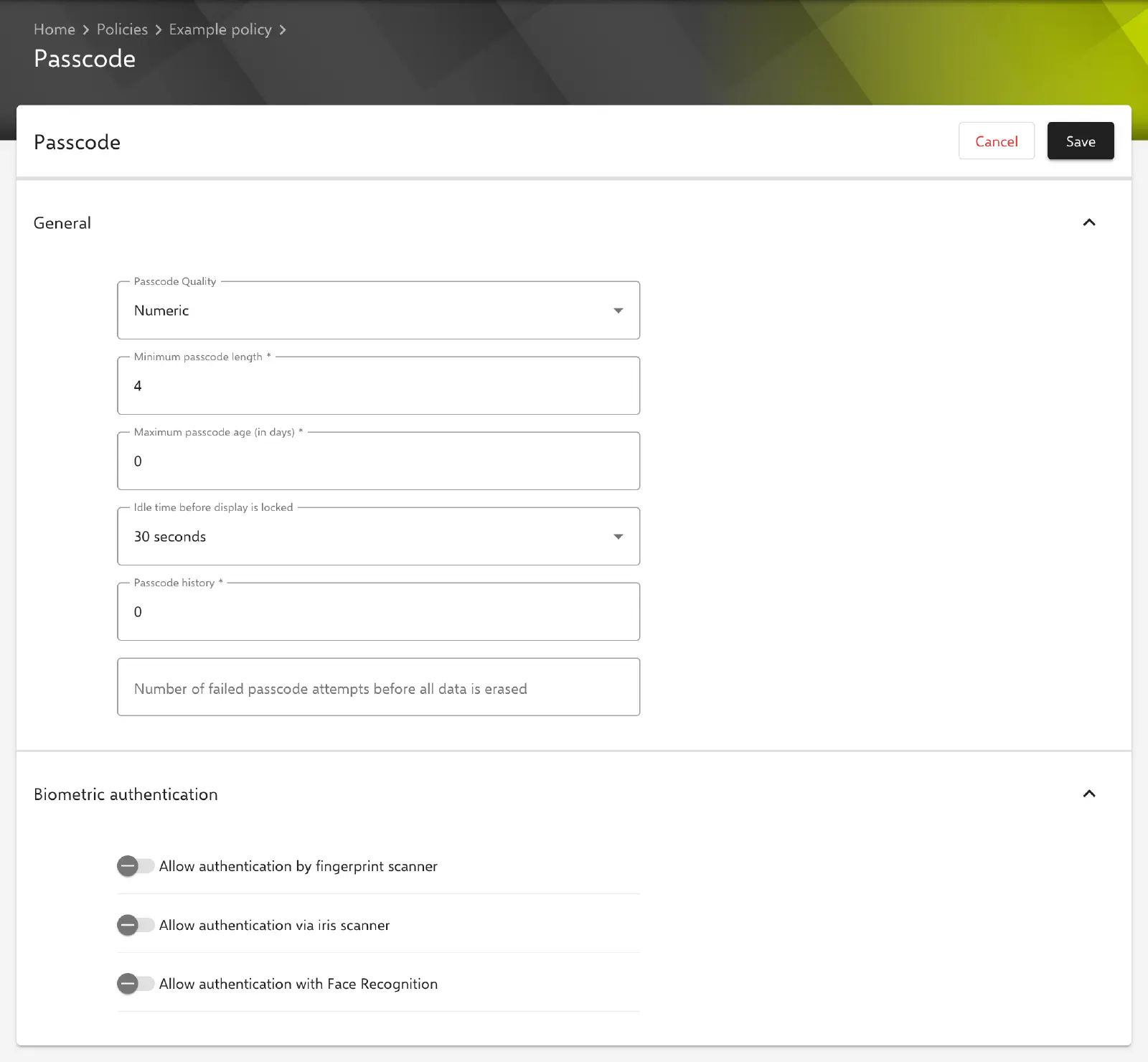
The Passcode configuration defines the screen lock requirements for Android Classic devices: minimum quality and length of the passcode, expiry, passcode history, the time until the screen is locked and the number of failed attempts after which all data on the device is erased. It also controls whether unlocking by fingerprint, iris or face recognition is allowed.
Prerequisites
- The configuration is available in Android policies for Android Classic devices and can be added once per policy.
- If several policies with an enabled Passcode configuration apply to a device, Relution transfers only one of them to the device. The requirements are not merged.
- A disabled configuration is not transferred.
- Which requirements a device actually enforces depends on the manufacturer and the Android version.
Dependent configurations
Several Android Classic configurations require an enabled Passcode configuration in the same policy. If it is missing or disabled, the policy version can be neither published nor tested in the first three cases; the reason is shown on the publish button.
| Configuration | Condition |
|---|---|
| Restrictions → | Enforce Device Encryption or Enforce SD Card Encryption is enabled. |
| WiFi → | Security type 802.1x EAP (EAP) with the EAP type PEAP, TLS or TTLS. |
| VPN | The configuration is enabled. |
| Certificate → | Notice in the form only: on Samsung Knox devices, the certificate is only installed if an enabled Passcode configuration is present. |
The Restrictions, WiFi and Certificate forms show a corresponding notice as long as the condition is not met.
General
The Passcode Quality field defines the minimum complexity the passcode has to meet when it is set on the device. Numeric is preselected in a new configuration. The selection determines which further fields appear:
- Complex (strong): passcode made of letters, digits and symbols. Six additional mandatory fields appear, which are empty in a new configuration (smallest permitted value in brackets): Minimum number of letters (1), Minimum number of lower case letters (0), Minimum number of upper case letters (0), Minimum number of non letters (0), Minimum number of numeric characters (1) and Minimum number of symbols (1).
- Alphanumeric: passcode with letters and digits.
- Alphabetic: passcode with letters.
- Numeric complex: PIN made of digits without repeating (
4444) or ordered (1234,4321,2468) sequences. The form shows a corresponding notice. - Numeric: PIN made of digits.
- Pattern: only a screen lock of any kind is required, e.g. pattern, PIN or password; there are no requirements regarding its content.
- Biometric (weak): the device must be protected at least by a biometric unlock method with a low security level. With this selection, all other fields of the section are hidden.
For all qualities except Biometric (weak), the following fields are available:
| Field | Default value | Meaning |
|---|---|---|
| Minimum passcode length | 4 | Minimum number of characters. Mandatory field, smallest permitted value 4. |
| Maximum passcode age (in days) | 0 | Number of days until a new passcode has to be set. With 0, the passcode never expires. Mandatory field. |
| Idle time before display is locked | 30 seconds | Time without activity after which the screen is locked: 15 seconds, 30 seconds, 1 minute, 2 minutes or 10 minutes. |
| Passcode history | 0 | Number of previously used passcodes that cannot be used again. With 0, there is no restriction. Mandatory field. |
| Number of failed passcode attempts before all data is erased | empty | Number of incorrect entries after which all data on the device is erased. Smallest permitted value 1. Without a value, the data is never erased. |
Biometric authentication
The Biometric authentication section defines which biometric methods are allowed for unlocking. All three switches are turned off in a new configuration.
- Allow authentication by fingerprint scanner
- Allow authentication via iris scanner
- Allow authentication with Face Recognition
The switches are intended for Samsung Knox devices. Whether a device applies them depends on the manufacturer, model and Android version.
Related topics
- Overview → – all configurations for Android Classic at a glance.
- Restrictions → – device and encryption settings that can require a Passcode configuration.
- WiFi → – WiFi networks with 802.1x authentication.
- Certificate → – installing certificates on Android Classic devices.
- Lock Device → – locking the device with the currently set passcode.
- Device password (Android Enterprise) → – corresponding configuration for Android Enterprise devices.