 Customer Hub
Device radio state
This policy centrally manages the status and usage of wireless technologies on managed Android devices.
The Device radio state policy enables centralized management of various wireless technologies on Android Enterprise devices. Administrators can define whether users are allowed to control certain features themselves or if these are enforced to be enabled or disabled.
Each setting additionally offers the option Unspecified, which is preselected in a new configuration. In this case, the Android Enterprise default behavior defined by Google applies: User choice for Wi-Fi, Airplane Mode, Ultra-Wideband and Cellular 2G, Open network security for the minimum Wi-Fi security level, and Allowed for adding eSIMs.
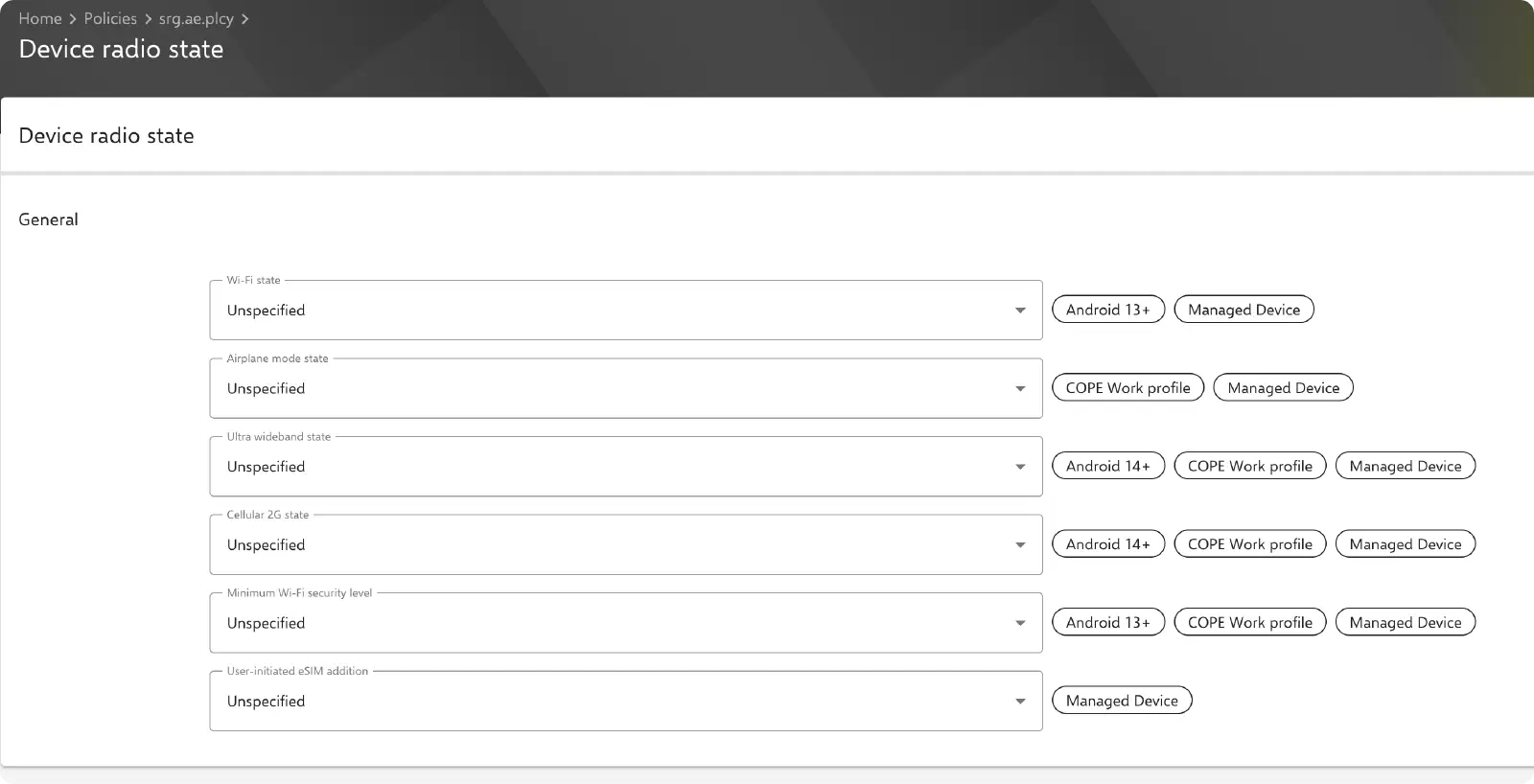
Wi-Fi State
Defines the state of the Wi-Fi function.
Options:
- User choice – Users can enable or disable Wi-Fi themselves.
- Enabled – Wi-Fi is permanently enabled.
- Disabled – Wi-Fi is permanently disabled.
Support:
- Android 13+
- Managed devices
Airplane Mode State
Controls whether Airplane Mode can be activated.
Options:
- User choice – Users can enable or disable Airplane Mode themselves.
- Disabled – Airplane Mode is permanently disabled.
Support:
- COPE work profile
- Managed devices
Ultra Wideband State (UWB)
Regulates the use of Ultra-Wideband (e.g., for precise location tracking).
Options:
- User choice – Users can enable or disable UWB themselves.
- Disabled – UWB is permanently disabled.
Support:
- Android 14+
- COPE work profile
- Managed devices
Cellular 2G State
Allows restriction of 2G network usage (relevant for security reasons).
Options:
- User choice – Users can control the use of 2G networks themselves.
- Disabled – 2G networks are permanently disabled.
Support:
- Android 14+
- COPE work profile
- Managed devices
Minimum Wi-Fi Security Level
Defines the minimum security standards that Wi-Fi connections must meet.
Options:
- Open network security – No restrictions.
- Personal network security – Minimum requirement of WPA/WPA2.
- Enterprise network security – Requires WPA2-Enterprise.
- Enterprise 192-bit network security – Highest security requirement.
Note: Insecure networks can be blocked if stricter policies are defined.
Support:
- Android 13+
- COPE work profile
- Managed devices
User-Initiated eSIM Addition
Determines whether users are allowed to add eSIM profiles independently.
Options:
- Allowed – Users can add eSIM profiles.
- Disallowed – Users cannot add eSIM profiles.
Support:
- Managed devices