Relution Files Android
Introduction
Relution provides the ability to integrate local file shares —also known as network drives— on Android devices using SMB and WebDAV. By connecting to school or enterprise server environments, users can access relevant documents and content and securely store data and work results on a central server.
Advantages of Relution Files
Data should not be stored in unsecured cloud services with servers outside the EU when GDPR compliance is required. It is also advisable not to store data directly on devices, especially when devices are used by multiple users. Storing documents on on-premise servers via Relution Files ensures data security and sovereignty for all users.
Configure Local Network Drives for Relution Files
Local file shares can be configured in Relution in two ways:
For manual setup, please refer to the documentation of the app itself → Relution Files
Automatic Configuration of Relution Files via Policies
Using a managed configuration set by an administrator in the Relution Portal removes almost all setup steps for end users. This enables seamless access to the file share.
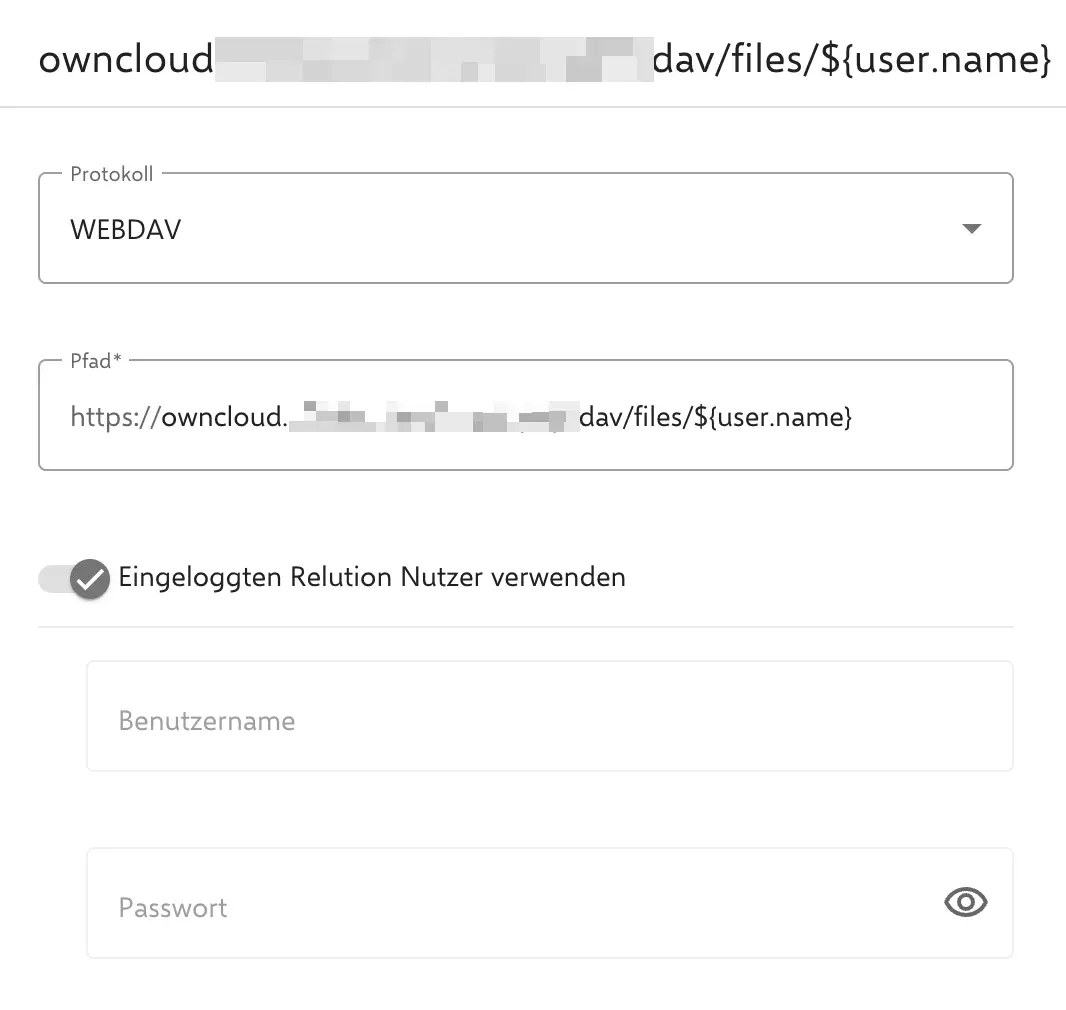
With the Relution File Shares configuration inside a policy, a WebDAV or SMB connection can be prepared for use.
To do this, select a protocol and enter the path to the file share. By using placeholders such as ${user.name}, the login process can be simplified.
There is also an option to use the Relution user already logged in on the device for authentication.