 Customer Hub
Calendar subscription
The Calendar subscription configuration adds a subscribed calendar to the Calendar app of iPhone and iPad, for example a holiday, school or event calendar that a server publishes at a fixed address. Relution transfers the settings as a profile with the payload type com.apple.subscribedcalendar.account.
Unlike the Calendar (CalDAV) → configuration, a calendar subscription does not set up a full calendar account. The device merely loads the published calendar and keeps it up to date; according to Apple, subscribed calendars are read-only on the device. For personal calendars in which appointments are created and synchronized with the server, the Calendar configuration is intended.
Platforms
The configuration is available exclusively in policies for iOS/iPadOS. Relution does not offer it for macOS.
- The configuration can be added several times per policy, one per subscribed calendar.
- It is also transferred to devices with User Enrollment →.
- A supervised device is not required.
General
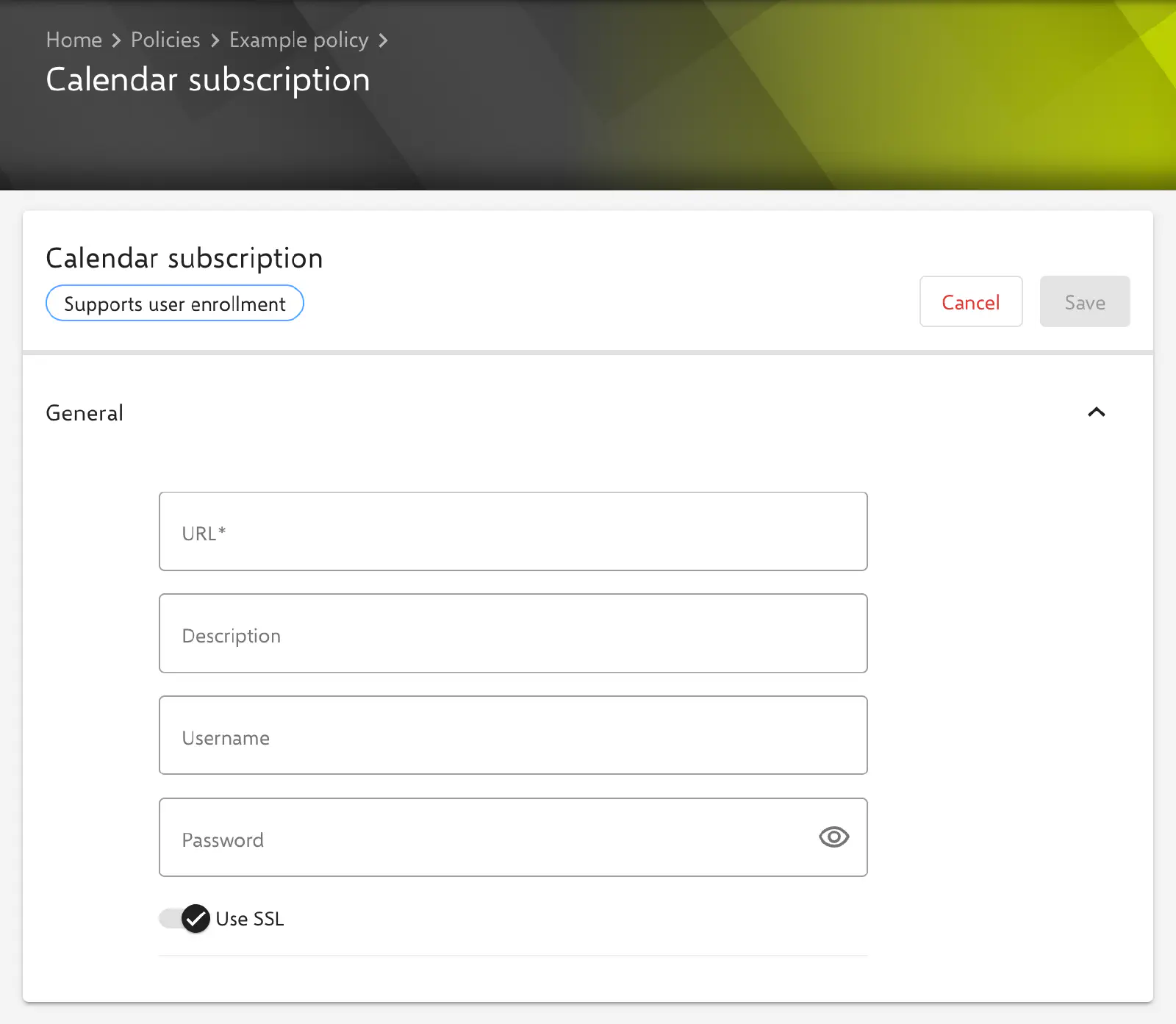
The General section contains the following fields. The key in the profile is given in parentheses.
- URL (
SubCalAccountHostName, required): address of the subscribed calendar, e.g.https://calendar.example.com/holidays.ics. A complete URL is expected; an empty field or an entry that is not a valid URL is marked (“is required” or “has to be a valid URL”), and the configuration cannot be saved. - Description (
SubCalAccountDescription, optional): display name of the subscription on the device. The description also appears as the name of the configuration in the policy. If the field is left empty, the key is not transferred. - Username (
SubCalAccountUsername, optional): username, if the server requires a sign-in to retrieve the calendar. If the field is left empty, the key is not transferred. - Password (
SubCalAccountPassword, optional): the corresponding password. A stored password is not displayed in the form; the field shows*****instead. A new entry replaces the stored password. If the field is left empty, the key is not transferred. - Use SSL (
SubCalAccountUseSSL): the device retrieves the calendar via an SSL-secured connection. Enabled by default. The value is always transferred.
User placeholders such as ${user.name} or ${user.email} can be used in the text fields, for example for a user-specific calendar. The available placeholders are listed below the form in the Available placeholders section.
Per account VPN
The calendar subscription can be referenced in a VPN configuration of the same policy in the Per account VPN area, so that the calendar is retrieved via this VPN. The form of the Calendar subscription configuration then shows the notice “This configuration is referenced by a VPN configuration.” with the link Show the referenced configuration. The setup is described under VPN →.
Special notes
- Compliance: If the device reports an error during installation, a compliance violation Subscribed Calendars configuration appears.
- Refresh: The interval at which the device reloads the subscribed calendar is determined by iOS; the form does not offer a setting for it.
Related topics
- Calendar (CalDAV) → — Full calendar account with synchronization via CalDAV.
- Exchange → — Account for email, calendar and contacts via Exchange ActiveSync.
- VPN → — VPN connections, also per app and account.
- App to VPN Mapping → — Mapping of apps to a VPN configuration.
- Overview → — All configurations for iOS/iPadOS at a glance.