 Customer Hub
Mobile network
The Mobile network configuration defines the access point names (APN) for the cellular network on iPhones and iPads with a cellular module. This is required, for example, for a carrier’s private APNs whose details would otherwise be entered by hand on the device. An attach APN, a data APN or both are configured, each with credentials and the permitted IP protocols. Relution transfers the settings as a profile with the payload type com.apple.cellular.
Prerequisites
- iPhone or iPad with a cellular module, managed via an iOS policy. A supervised device is not required.
- The device is enrolled via Device Enrollment. The configuration is not available for devices with User Enrollment →.
- The APN details (name and, where applicable, username, password and authentication type) are provided by the carrier.
The configuration can only be added once per policy.
APN type
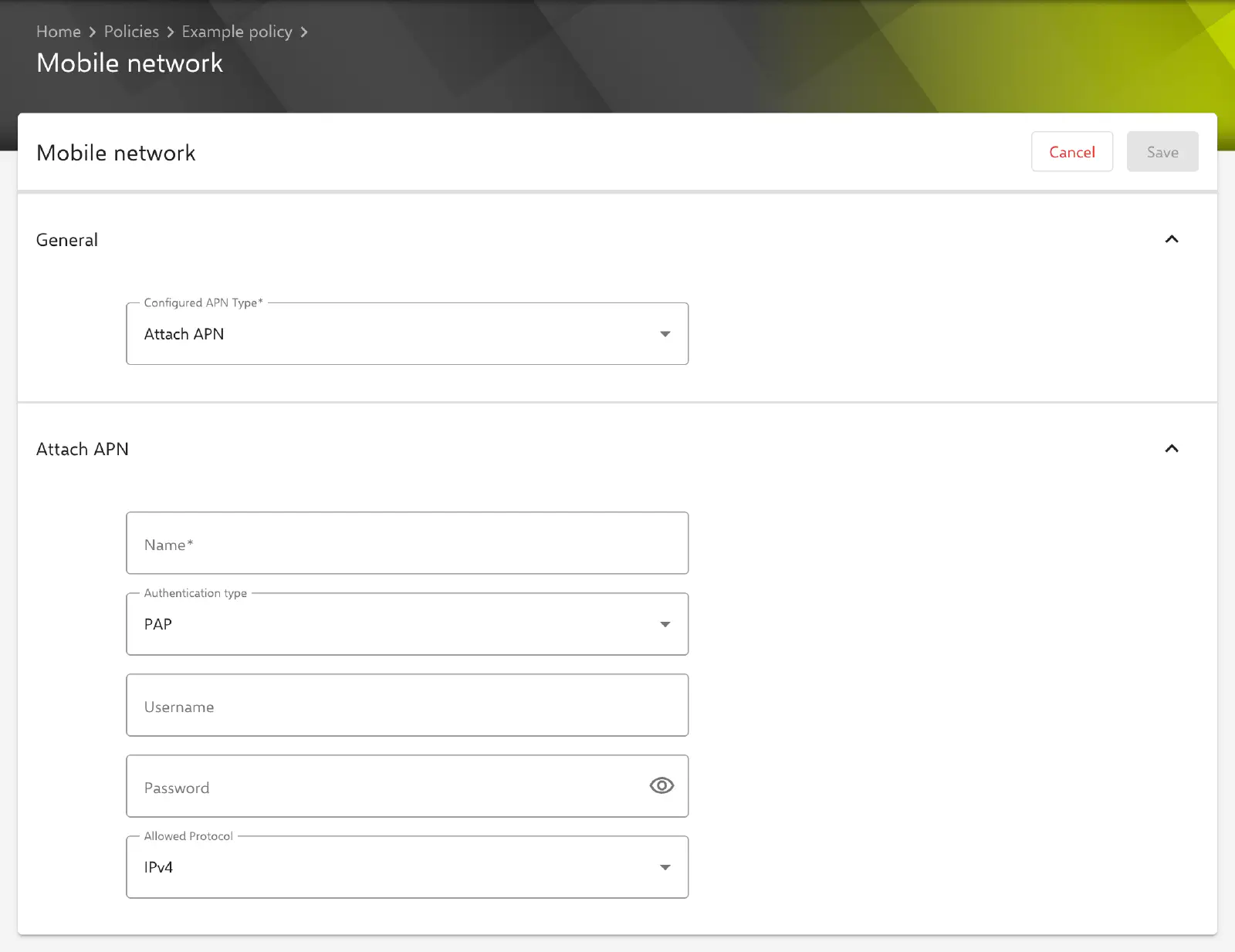
Under Devices → Policies, the Mobile network configuration is added to an iOS policy via Add. In the General section, the Configured APN Type field determines which sections the form shows:
- Attach APN (preselected for a new configuration): only the Attach APN section.
- Data APN: only the Data APN section.
- Attach and Data APNs: both sections.
According to Apple, the device uses the attach APN when registering with the cellular network and the data APN for mobile data connections. Which variant is required is specified by the carrier.
When saving, Relution discards the details of the section that does not belong to the selected type, including a password stored there. In the policy, the configuration appears under the Name of the attach APN; if only a data APN is configured, under its Name.
Attach APN
| Field | Description |
|---|---|
| Name | Required. Name of the access point, e.g. internet.example.com. |
| Authentication type | PAP (default) or CHAP. The selected value is always transferred. |
| Username | Optional. If the field is left empty, no username is transferred. |
| Password | Optional. If the field is left empty, no password is transferred. |
| Allowed Protocol | IP protocols permitted for this APN: Not Set, IPv4 (default), IPv6 or IPv4 and IPv6. |
Data APN
In addition to the fields of the attach APN, the data APN offers a proxy, separate protocol settings for roaming and the XLAT464 option.
| Field | Description |
|---|---|
| Name | Required. Name of the access point. |
| Authentication type | PAP (default) or CHAP. The selected value is always transferred. |
| Username | Optional. If the field is left empty, no username is transferred. |
| Password | Optional. If the field is left empty, no password is transferred. |
| Proxy Host | Optional. IPv4 address or host name of the proxy server without protocol, i.e. proxy.example.com instead of http://proxy.example.com. |
| Proxy Server Port | Optional. Port of the proxy server, 0 to 65535. |
| Allowed Protocol | IP protocols in the carrier’s home network. |
| Allowed Protocol in Roaming | IP protocols when roaming abroad. |
| Allowed Protocol in Domestic Roaming | IP protocols when roaming in another network within the same country. |
| Enable XLAT464 | Enables 464XLAT, which carries IPv4 traffic over an IPv6-only cellular network. Disabled by default; according to Apple effective as of iOS 16. |
Each of the three protocol fields offers Not Set, IPv4 (default), IPv6 and IPv4 and IPv6. In addition, Relution always transfers IPv4 as the default protocol (DefaultProtocolMask) for the data APN; the form does not offer a separate field for it.
Special features
- Protocol Not Set: With this selection, no value is transferred for the respective field, and the device uses its own default behavior. Since iOS 15.4, iOS apparently expects the protocol details even where Apple describes them as optional; this is why IPv4 is preselected, and Not Set is only chosen deliberately.
- Stored passwords: A stored Password is not displayed in the form but only indicated by
*****. If the field remains unchanged, Relution keeps the stored password; a new entry replaces it. To remove it, the content of the field is deleted and the configuration is saved. - Data APN name changed: Relution assigns the stored password of the data APN via its Name. If the Name is changed, the previous password is not retained and is entered again when saving.
- Multiple policies: If a device receives the configuration from several policies, only the configuration from the policy with the highest priority is transferred; the settings are not merged.
- Apple Configurator 2 configuration: If an Apple Configurator 2 configuration → in the same policy already contains a profile of type
com.apple.cellular, the Mobile network configuration can no longer be added there. - Compliance: If the device reports an error during installation, a Cellular configuration compliance violation appears.
Behavior on the device
The following behavior is determined by Apple, not by Relution; this information is provided without guarantee:
- Only one profile with cellular settings can be installed on a device at a time.
- Whether a proxy, a protocol setting or XLAT464 takes effect in the cellular network also depends on the carrier.
- Incorrect APN details can prevent the device from establishing a mobile data connection. Configuration changes then only reach the device via Wi-Fi.
Related topics
- Data Roaming →
- Available actions →
- Restrictions →
- Global HTTP Proxy →
- Apple Configurator 2 configuration →
- Overview →