 Customer Hub
Global HTTP Proxy
The Global HTTP Proxy configuration defines a device-wide proxy for HTTP traffic. The proxy is either specified manually by address and port or determined automatically via a PAC file (Proxy Auto-Config). Relution transfers the settings as a profile with the payload type com.apple.proxy.http.global.
Prerequisites
- The device is supervised (label Supervised in the portal), see Supervised Mode / Supervision →.
- The device is enrolled via Device Enrollment. The configuration is not available for devices with User Enrollment →.
The configuration can only be added once per policy.
Platforms
The configuration is available in iOS and macOS policies with the same form. iPadOS devices are managed via iOS policies. The same prerequisites apply on both platforms: the portal labels the configuration as Supervised, and devices with User Enrollment do not receive it.
Configuration
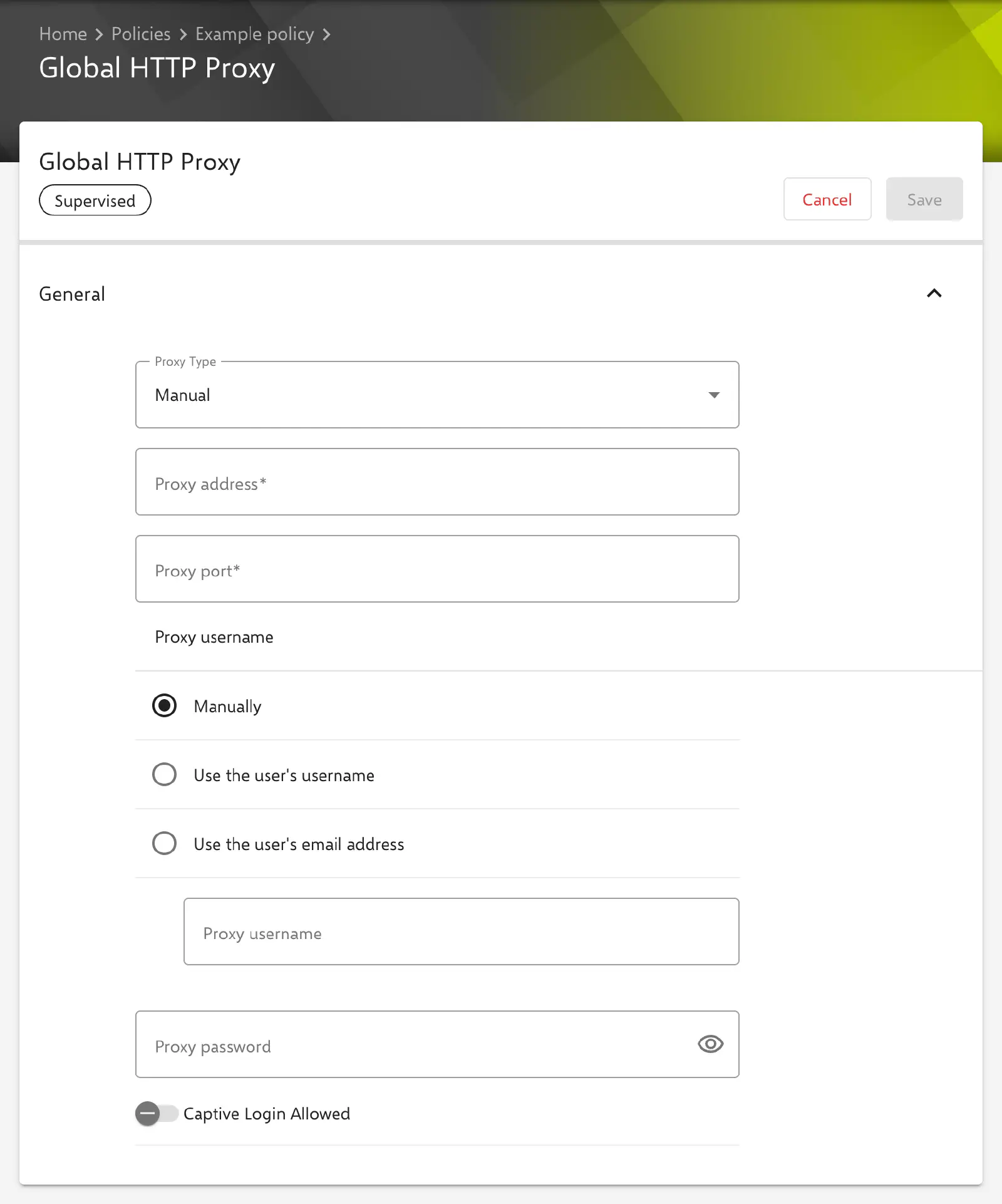
Under Devices → Policies, the Global HTTP Proxy configuration is added to an iOS or macOS policy via Add. The General section contains the Proxy Type selection and the Captive Login Allowed switch. Depending on the Proxy Type, the portal shows the corresponding fields.
Proxy Type
- Manual (preselected for a new configuration): the address and port of the proxy are specified explicitly.
- Automatic: the device determines the proxy via a PAC file.
Proxy type Manual
| Field | Description |
|---|---|
| Proxy address | Required. Host name or IP address of the proxy server. |
| Proxy port | Required. Port of the proxy server. The server accepts values from 1 to 65535. |
| Proxy username | Optional. Username for authenticating with the proxy, maximum 255 characters. The options are Manually (free input), Use the user’s username (${user.name}) and Use the user’s email address (${user.email}). |
| Proxy password | Optional. Password for authenticating with the proxy. |
If Proxy username or Proxy password remain empty, they are not transferred to the device.
Proxy type Automatic
| Field | Description |
|---|---|
| Proxy PAC URL | Optional. URL of the PAC file that defines the proxy. If the field remains empty, no URL is transferred. |
| Allow direct connection when PAC is unreachable | Disabled by default. If enabled, the device may connect without a proxy when the PAC file cannot be retrieved. |
When saving with Automatic, Relution discards the values of the Manual type, including a stored Proxy password.
Captive Login Allowed
The Captive Login Allowed switch applies to both proxy types and is disabled by default. If enabled, the device may bypass the proxy to display the login page of a captive portal, as found in hotel or guest Wi-Fi networks, for example.
Special features
- Password: As of Relution 26.5.5, a stored Proxy password is no longer displayed in the form but only indicated by
*****. If the field remains unchanged, Relution keeps the stored password when saving. A new entry replaces it. To remove it, the content of the field is deleted so that the*****placeholder is no longer displayed, and the configuration is saved. - Placeholders: The text fields support user placeholders such as
${user.name}or${user.email}. The form lists the available placeholders below the settings. More information: Advanced placeholders → - Validation when saving: For the Manual type, the server rejects the configuration if Proxy address or Proxy port is missing or the port is outside
1to65535. - Compliance: If the device reports an error during installation, a Global HTTP Proxy configuration compliance violation appears.
Behavior on the device
The following behavior is determined by Apple, not by Relution; this information is provided without guarantee:
- The device routes its HTTP traffic through the global proxy regardless of the network in use. Which traffic is covered in detail is decided by the operating system.
- The proxy must allow access to the Relution server and the Apple services. Otherwise, devices may no longer be able to retrieve commands and configuration changes, including a corrected proxy configuration.
- Without Allow direct connection when PAC is unreachable, the device has no internet connection if the PAC file cannot be retrieved.