 Customer Hub
Google Account
The Google Account configuration creates a Google account on the device via a configuration profile. The account is then available in the device settings and can be used by the native Mail, Contacts and Calendar apps. Relution transfers the values as the Apple payload com.apple.google-oauth.
The configuration does not contain a password. Sign-in to the Google account takes place on the device after installation, via the Google sign-in page.
Platforms
The configuration is available in policies for iOS/iPadOS. A supervised device is not required. The form carries the badge Supports user enrollment: the configuration can also be distributed to devices with User Enrollment →.
Multiple Google Account configurations are allowed per policy, for example for several Google accounts. Each configuration requires its own Email address, as Relution derives the identifier of the account on the device from the email address. In the configuration list of the policy, each configuration appears with the value from Full email sender name.
General
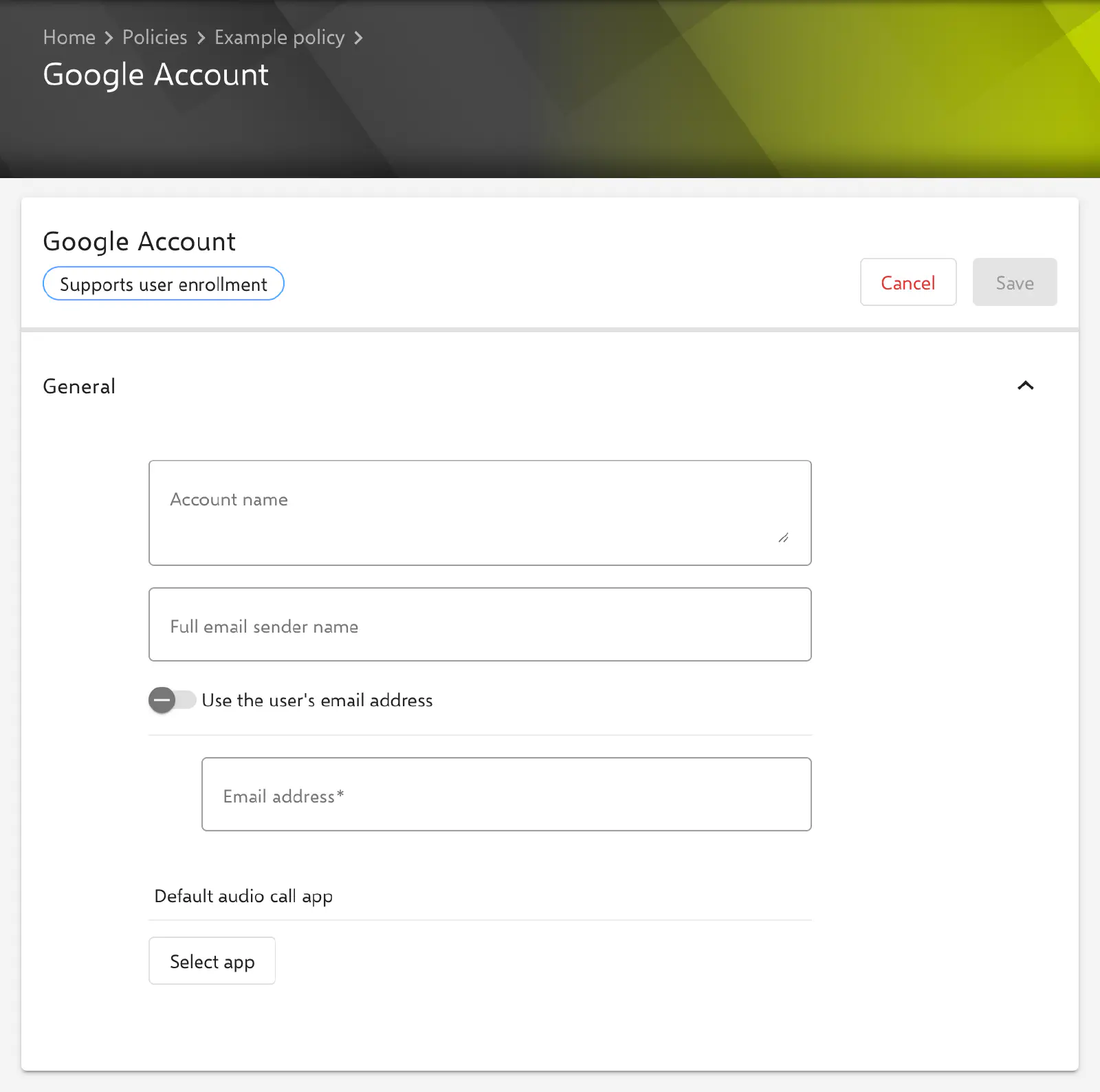
The General section contains all fields of the configuration.
- Account name: Label under which the account appears in the device settings and in the Mail app. Optional; multi-line input is possible.
- Full email sender name: Full name of the account holder, shown as the sender name in sent messages. Optional.
- Use the user’s email address: When the switch is on, the Email address field is locked and filled with the placeholder
${user.email}. On delivery, it is replaced with the email address of the user assigned to the device. Off by default. - Email address (required): Address of the Google account. Accepted values are a valid email address or the placeholder
${user.email}via the switch above. An invalid entry is marked with “has to be a valid e-mail address” and prevents saving. - Default audio call app: App that handles audio calls to contacts from this account. The app is chosen via the Select app button in a dialog: from the apps stored in Relution, from the Apple App Store, from the iOS system apps or by manual entry. The bundle ID of the app is transferred. The selected app appears as an entry below the button and can be removed there via the cross icon. Optional; without a selection, the system’s default app remains responsible.
Per account VPN
The Google account can be referenced in a VPN configuration in the Per account VPN section. The form of the Google Account configuration then shows the notice “This configuration is referenced by a VPN configuration.” with the link Show the referenced configuration. Setting up the VPN is described under App to VPN Mapping →.
Special notes
- Placeholders: The Account name and Full email sender name fields accept user and device placeholders such as
${user.fullname}or${device.name}, which are resolved per device. The form lists the available placeholders below the settings. More information: Advanced placeholders → - Sign-in on the device: After installation, the operating system prompts the user to sign in to the Google account. Which services (Mail, Contacts, Calendars, Notes) are active is set in the device settings. The behaviour follows Apple’s documentation and may change with new operating system versions.
- Microsoft Exchange and other accounts: For accounts on an Exchange Server, the Exchange → configuration is intended; for IMAP/POP accounts, the Email → configuration.
Related topics
- Exchange →
- Email →
- Calendar (CalDAV) →
- Contact →
- App to VPN Mapping →
- Advanced placeholders →
- User Enrollment →
- Configuration overview →