 Customer Hub
Recovery Lock
Recovery Lock prevents a Mac from being started into Recovery Mode or booted from external media without knowledge of a password. Two actions are available in Relution to manage this lock. Both require a supervised device running macOS 11.5 or later and are offered in the action dialog, either for a single device or, via multiple selection in the device list, for several devices at once: Available actions →
Relution does not output the passwords entered in these actions again; they cannot be viewed in the portal later and must therefore be stored separately.
Set Recovery Lock
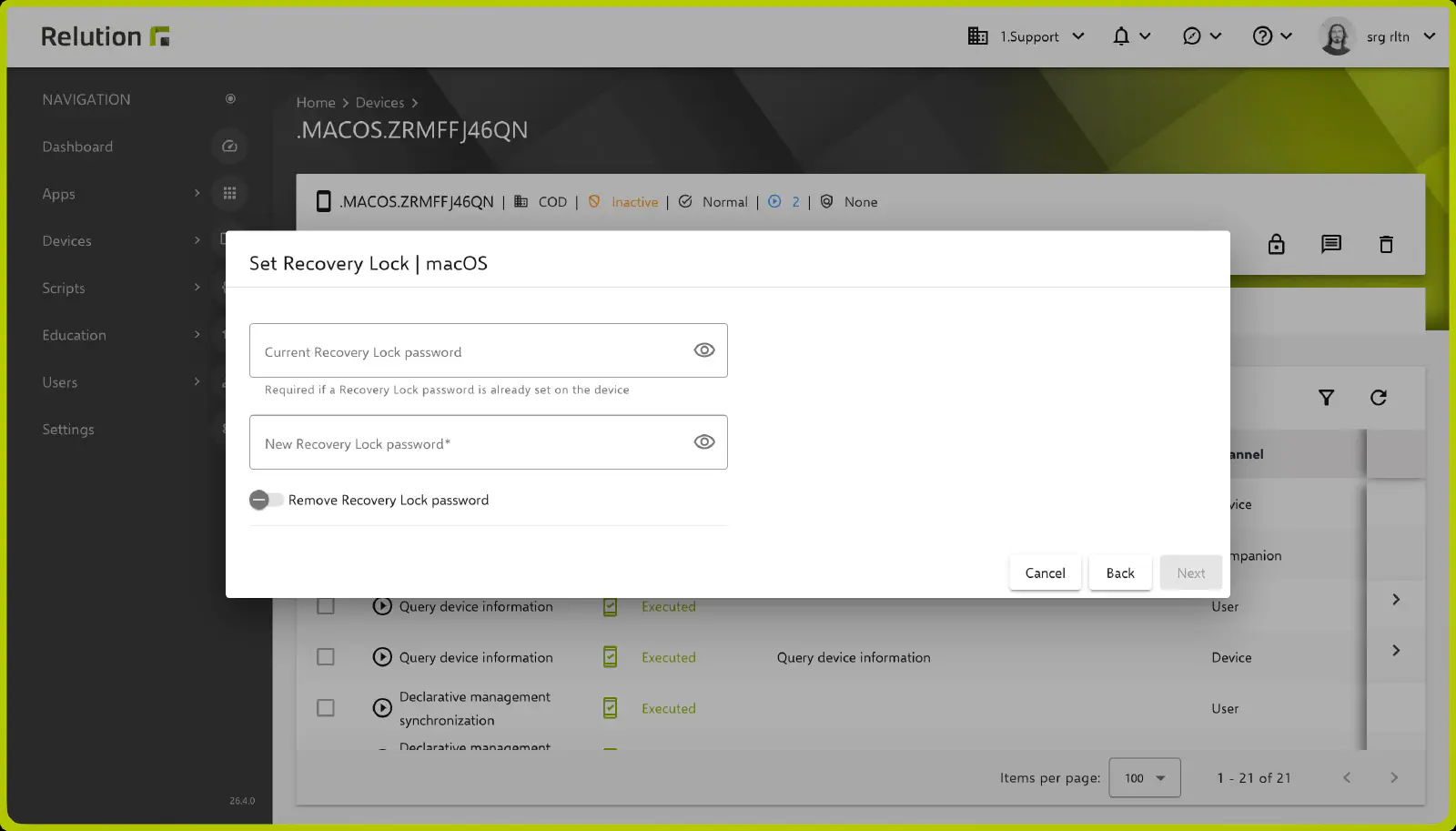
New in 26.4As of version 26.4, the Recovery Lock password can be set, changed or removed directly from Relution using the Set Recovery Lock action. If a Recovery Lock password is already set on the device, it must be entered in the Current Recovery Lock password field. The new password is entered in the required New Recovery Lock password field. If the Remove Recovery Lock password toggle is enabled, the existing password is removed without setting a new one; the new password field is then hidden and the Current Recovery Lock password field must be filled in.
Verify Recovery Lock
New in 26.5The Verify Recovery Lock action checks whether a known password matches the Recovery Lock set on the device. The password to be checked is entered in the Recovery Lock password field; if no password is set on the device, the field is left empty. If the password matches, the action is given the status Executed. If it does not match, the action is given the status Error with the error message The Recovery Lock password does not match.
Recovery Lock status
Whether a Recovery Lock is active on a device at all can be viewed in the Security card of the device details via the Is recovery lock enabled value.