 Customer Hub
App Store restrictions
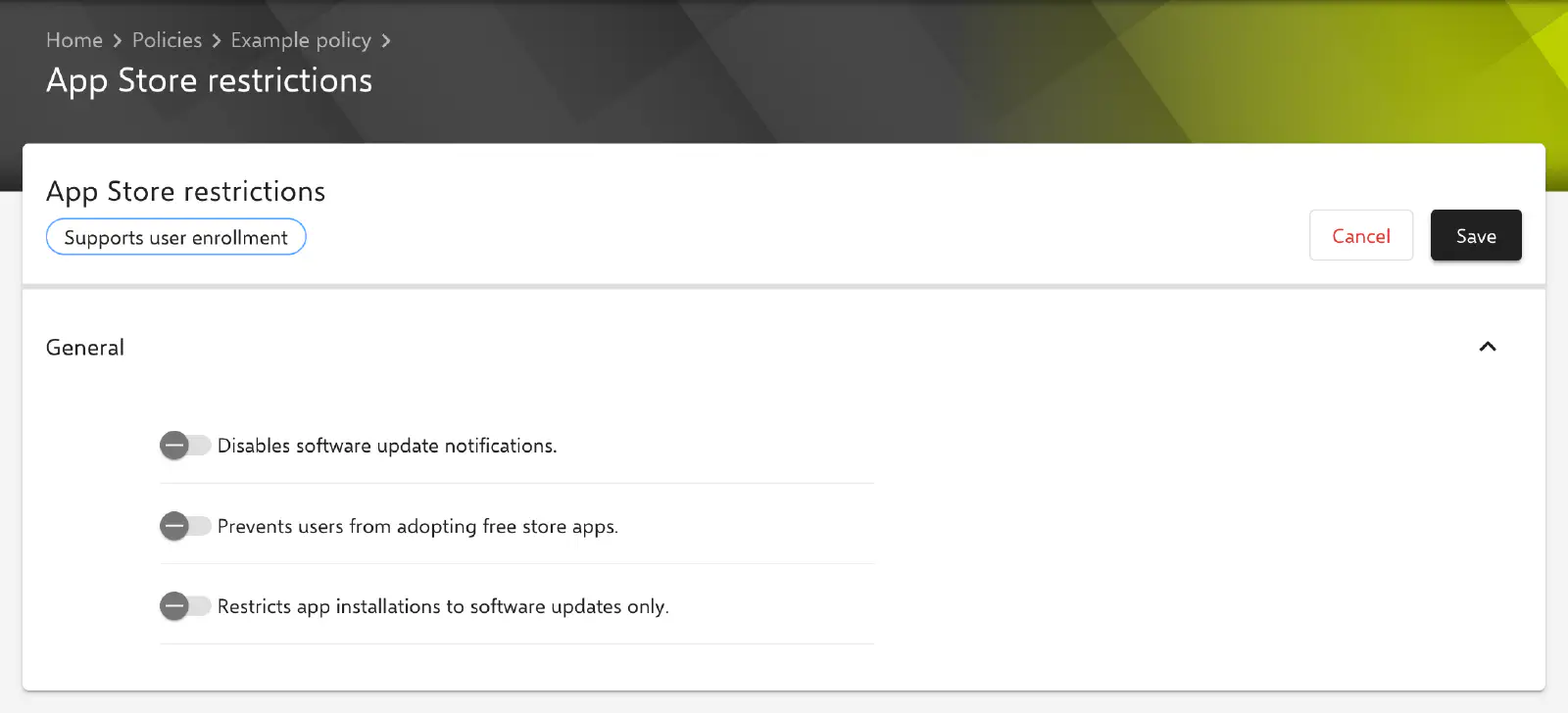
With the App Store restrictions configuration, the use of the App Store on managed Macs is restricted. It hides notifications about software updates, blocks the adoption of free apps into the user’s own Apple Account and limits the App Store to software updates. Relution transfers the settings as a profile with the payload type com.apple.appstore.
Prerequisites
- The configuration is only available in macOS policies and can be added once per policy. It is added under
Devices→Policiesin a macOS policy via Add. - It is available for devices with device enrollment and for devices with User Enrollment →. In the selection dialog, it carries the badge Supports user enrollment for this purpose.
- No minimum macOS version is stored in Relution. According to Apple, Macs evaluate the options as of macOS 10.10.
- A supervised device is not required.
General
The General section offers three toggles. The key in the profile is shown in brackets. All toggles are inactive by default and are transferred with their current value, i.e. also as false.
- Disables software update notifications. (
DisableSoftwareUpdateNotifications): The Mac does not show notifications about available software updates. - Prevents users from adopting free store apps. (
restrict-store-disable-app-adoption): Users cannot adopt free apps that are already present on the Mac into their own Apple Account. Such an adoption assigns the app to the Apple Account so that it is subsequently updated via the App Store. - Restricts app installations to software updates only. (
restrict-store-softwareupdate-only): Only updates can be installed via the App Store, no new apps.
The toggles are independent of each other and can be combined freely.
Special notes
- Installation by administrators only: The profile additionally contains the key
restrict-store-require-admin-to-install. The form does not offer a toggle for it; the key is transferred asfalse. Apple classified it as deprecated with macOS 10.14. Whether only administrators may install updates and apps from the App Store is instead defined by the option Restrict app installation to admin users in the System updates configuration (see Software Update →). - Origin of apps: Which apps can be opened on the Mac is not controlled by this configuration but by Gatekeeper via the System policy control → configuration.
- Apple Configurator 2: If a policy already contains an Apple Configurator 2 configuration with the payload type
com.apple.appstore, the App Store restrictions configuration can no longer be added to it, and vice versa (see Apple Configurator 2 Configuration →).
Related topics
- Overview → — All configurations for macOS at a glance.
- Software Update → — Behavior and enforcement of software updates on Macs.
- System policy control → — Gatekeeper and permitted sources for apps.
- Manage App Store apps → — Distribute apps from the App Store with licenses from Apps and Books (VPP in the portal).
- Restrictions → — Further restrictions for macOS devices.