 Customer Hub
Finder settings
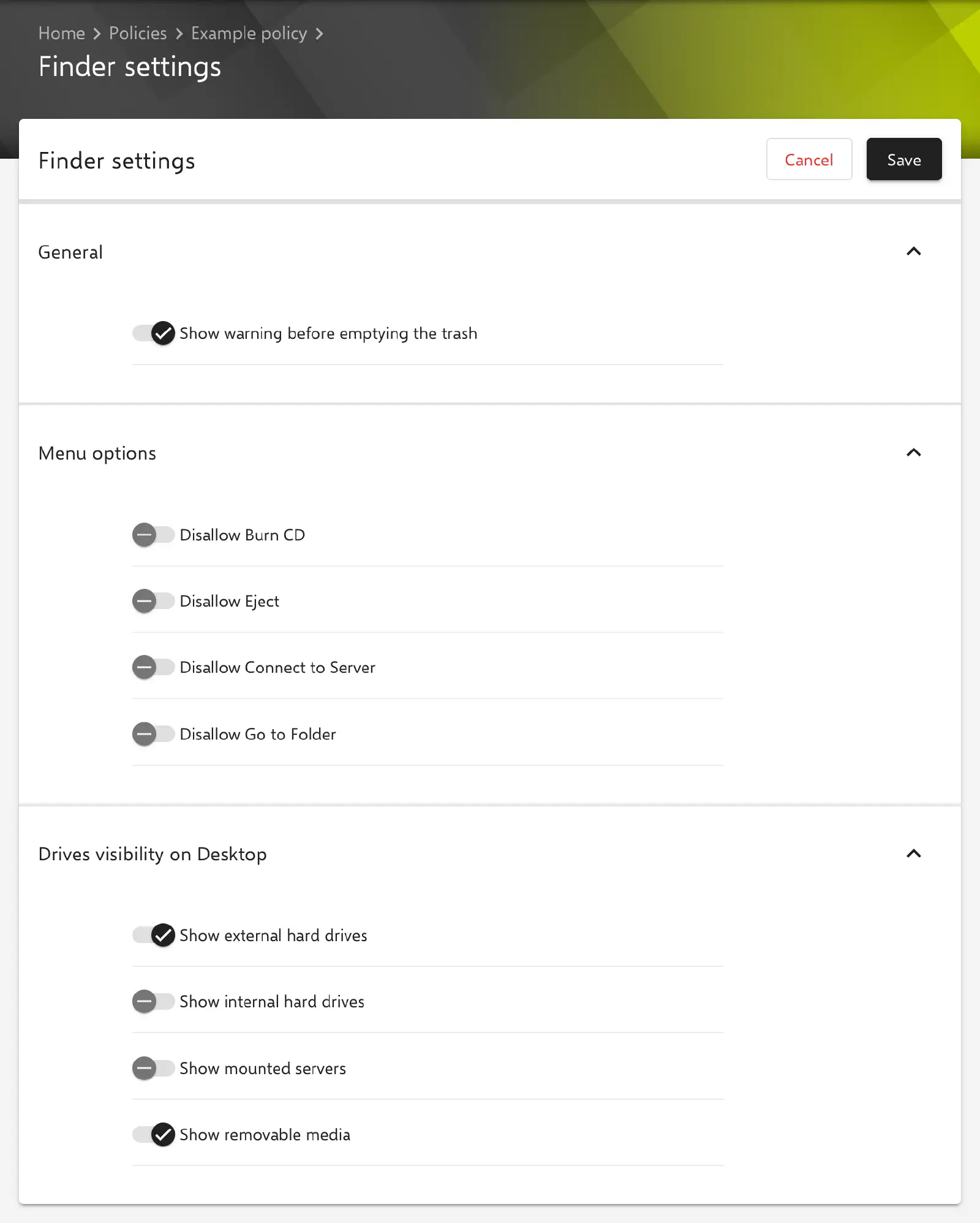
With the Finder settings configuration, it is defined which drives and servers the Finder shows on the desktop of managed Macs, whether a warning appears before the Trash is emptied and which Finder commands are blocked. Relution transfers the settings as a profile with the payload type com.apple.finder.
Prerequisites
- The configuration can be added once per policy.
- It is only available for devices with device enrollment, not for devices with User Enrollment →.
- Relution lists the configuration for macOS 10.7 and later.
- A supervised device is not required.
General
The form consists exclusively of switches, spread across three sections. The key in the profile is shown in parentheses. All switches are transferred with their current value, including false.
- Show warning before emptying the trash (
WarnOnEmptyTrash, default: enabled): A confirmation prompt appears before the Trash is emptied. If the option is disabled, the Finder empties the Trash without asking.
Menu options
The options in the Menu options section disable individual Finder commands. All switches are disabled by default.
- Disallow Burn CD (
ProhibitBurn): The Finder function for burning CDs and DVDs is not available. - Disallow Eject (
ProhibitEject): The Finder command Eject is not available. - Disallow Connect to Server (
ProhibitConnectTo): The Finder command Connect to Server is not available. - Disallow Go to Folder (
ProhibitGoToFolder): The Finder command Go to Folder, which opens a folder by entering its path, is not available.
Drives visibility on Desktop
The options in the Drives visibility on Desktop section define which items the Finder shows on the desktop. They correspond to the options for showing items on the desktop in the Finder settings of the Mac.
- Show external hard drives (
ShowExternalHardDrivesOnDesktop, default: enabled): External hard drives, for example connected via USB or Thunderbolt, appear on the desktop. - Show internal hard drives (
ShowHardDrivesOnDesktop, default: disabled): Internal hard drives and volumes appear on the desktop. - Show mounted servers (
ShowMountedServersOnDesktop, default: disabled): Connected file servers and network shares appear on the desktop. - Show removable media (
ShowRemovableMediaOnDesktop, default: enabled): Removable media such as CDs and DVDs appear on the desktop.
Special notes
- Default values: According to Apple, the defaults of the form match the default values of macOS. A newly created, unchanged configuration therefore does not change the behavior of the Finder, but fixes the values at this state.
- Placeholders and certificates: The configuration contains no text fields and no certificate references; placeholders are not evaluated.
Related topics
- Overview → — All configurations for macOS at a glance.
- Restrictions → — Further restrictions for macOS devices.
- Desktop → — Setting the desktop background image.