 Customer Hub
Global Preferences
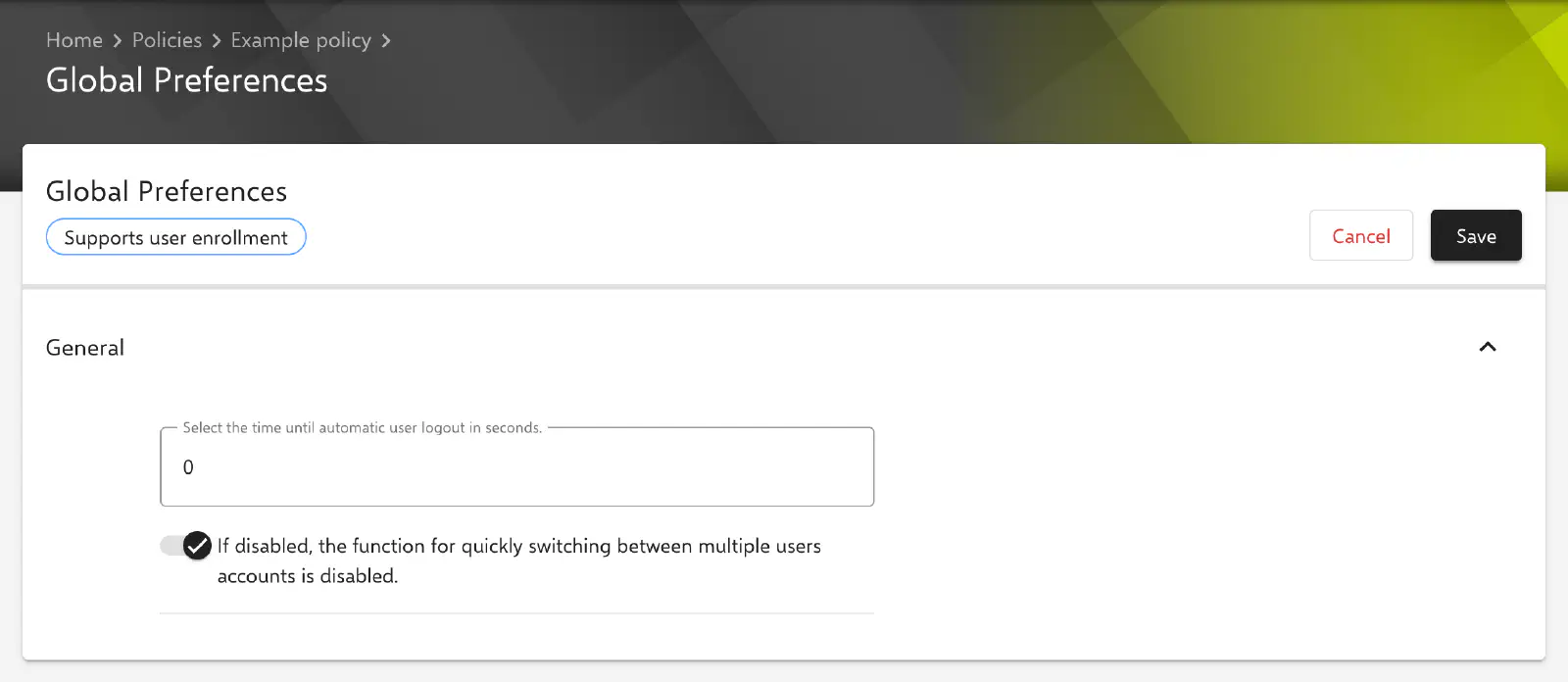
The configuration Global Preferences defines whether signed-in users on managed Macs are logged out automatically after a period without activity and whether fast user switching is available. Relution transfers the settings as a profile with the payload type .GlobalPreferences.
Prerequisites
- The configuration is possible once per policy.
- It is available for devices with Device Enrollment and for devices with User Enrollment →; the form carries the label Supports user enrollment for this purpose.
- Relution offers the configuration from macOS 10.7.
- A supervised device is not required.
- If the policy already contains an Apple Configurator 2 Configuration → with the payload type
.GlobalPreferences, the configuration cannot be added. Conversely, such an Apple Configurator 2 Configuration is rejected if the policy already contains Global Preferences.
Settings
Both settings are located in the section General. The key in the profile is shown in brackets. Relution always transfers both keys with their current value, including the default value.
- Select the time until automatic user logout in seconds. (
com.apple.autologout.AutoLogOutDelay, default value:0): period without activity in seconds after which macOS logs out the signed-in user. The value0turns automatic logout off. The field only accepts values from0; for a smaller value the message has to be at least 0 appears and the configuration cannot be saved. Examples:300corresponds to 5 minutes,3600to one hour,86400to 24 hours. - If disabled, the function for quickly switching between multiple users accounts is disabled. (
MultipleSessionEnabled, default value: enabled): several users can be signed in at the same time and switch between their sessions without logging out. If the toggle is not enabled, fast user switching is not available on the Mac.
According to the tooltip of the field and according to Apple, macOS may in some cases restrict the time until automatic logout to values between 5 minutes and 24 hours. How macOS handles values outside this range is decided by the operating system.
Related topics
- Overview → — All configurations for macOS at a glance.
- Login Window → — Design of the login window, user list and automatic login.
- Screen saver → — Idle time of the screen saver and password prompt for unlocking.
- Security Preferences → — Blocking of user changes to the lock message and the password.
- Apple Configurator 2 Configuration → — Custom profiles that cannot be combined with this configuration if they contain the same payload type.