 Customer Hub
System preferences
The System preferences configuration defines which panes of the system preferences are available on managed Macs. Depending on the selection mode, either only the selected panes are available, or exactly these panes are disabled. In addition to the panes included in macOS, preference panes from other vendors can be included via their bundle ID. Relution transfers the settings as a profile with the payload type com.apple.systempreferences.
Prerequisites
- The configuration can be added once per policy.
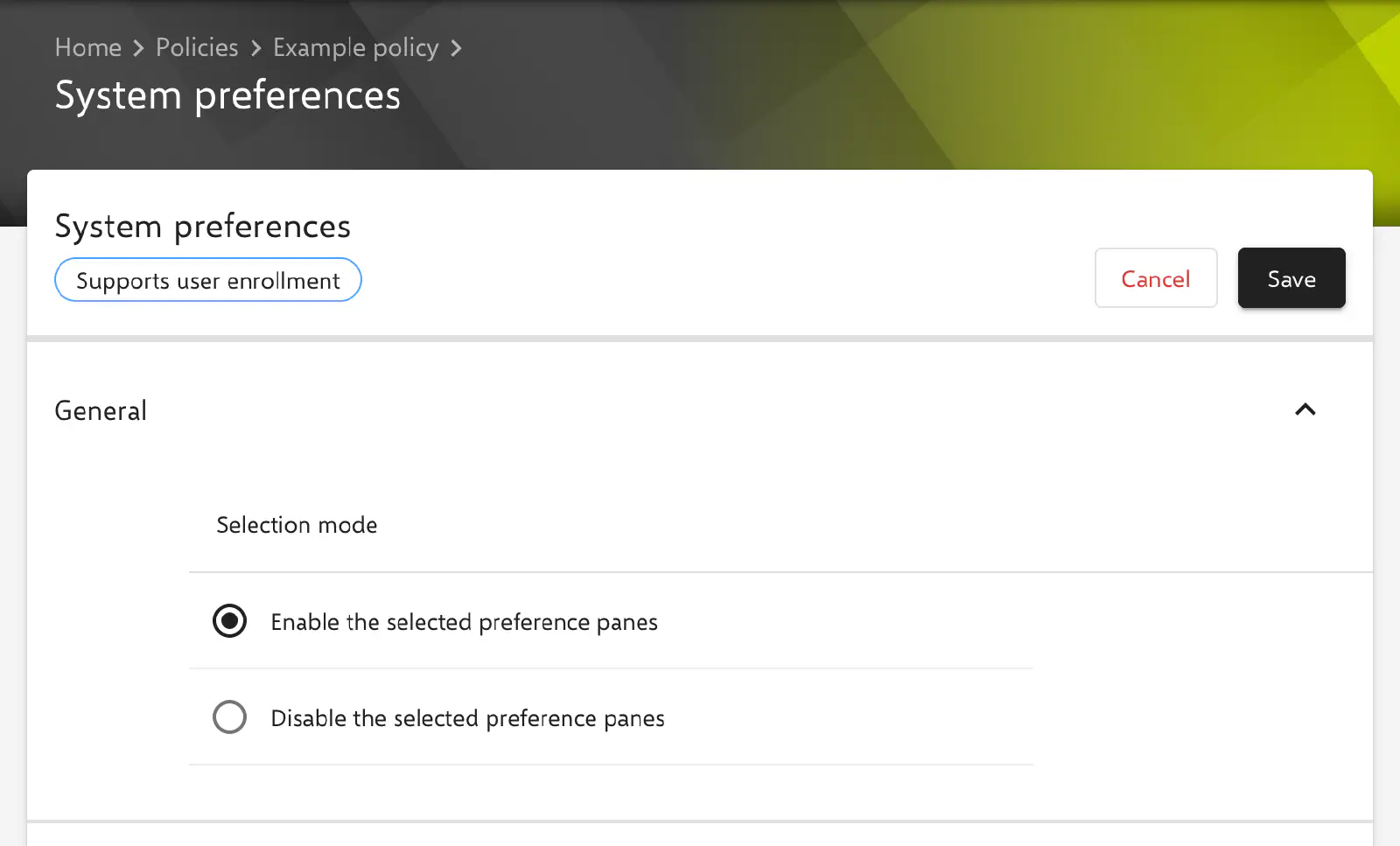
- It is available for devices with device enrollment and for devices with User Enrollment →; the form shows the corresponding badge.
- A supervised device is not required.
Selection mode
In the General section, the Selection mode field defines how the selected panes take effect. The mode applies jointly to the native panes and to the third-party panes; the headings of the two following sections adapt to the selected mode.
- Enable the selected preference panes (default, key
EnabledPreferencePanes): According to Apple, only the selected panes are available. All other panes are disabled, including those that are not listed in the form. - Disable the selected preference panes (key
DisabledPreferencePanes): The selected panes are disabled, all others remain available.
Relution combines the selected native panes and the entered bundle IDs into one list and transfers it under the key of the selected mode. If neither a pane is selected nor a bundle ID is entered, no key is transferred; the profile then does not restrict the system preferences.
Native system preference panes
Depending on the mode, the section is called Enable Native System Preference Panes or Disable Native System Preference Panes. Each switch represents a pane of the system preferences; all switches are inactive by default. Only active switches are transferred, each with the identifier listed in the table.
| Switch | Pane identifier |
|---|---|
| Classroom | com.apple.ClassroomSettings |
| Language & Region | com.apple.Localization |
| Date & Time | com.apple.preference.datetime |
| Desktop & Screensaver | com.apple.preference.desktopscreeneffect |
| CDs & DVDs | com.apple.preference.digihub.discs |
| Displays | com.apple.preference.displays |
| Dock | com.apple.preference.dock |
| Energy Saver | com.apple.preference.energysaver |
| Mission Control | com.apple.preference.expose |
| General | com.apple.preference.general |
| Ink | com.apple.preference.ink |
| Keyboard | com.apple.preference.keyboard |
| Mouse | com.apple.preference.mouse |
| Network | com.apple.preference.network |
| Notifications | com.apple.preference.notifications |
| Print & Fax | com.apple.preference.printfax |
| Screen Time | com.apple.preference.screentime |
| Security & Privacy | com.apple.preference.security |
| Sidecar | com.apple.preference.sidecar |
| Sound | com.apple.preference.sound |
| Siri | com.apple.preference.speech |
| Spotlight | com.apple.preference.spotlight |
| Startup Disk | com.apple.preference.startupdisk |
| Trackpad | com.apple.preference.trackpad |
| Accessibility | com.apple.preference.universalaccess |
| Apple ID | com.apple.preferences.AppleIDPrefPane |
| App Store | com.apple.preferences.appstore |
| Bluetooth | com.apple.preferences.Bluetooth |
| Profiles | com.apple.preferences.configurationprofiles |
| Extensions | com.apple.preferences.extensions |
| Family Sharing | com.apple.preferences.FamilySharingPrefPane |
| iCloud | com.apple.preferences.icloud |
| Internet Accounts | com.apple.preferences.internetaccounts |
| Parental Controls | com.apple.preferences.parentalcontrols |
| Password | com.apple.preferences.password |
| Sharing | com.apple.preferences.sharing |
| Software Update | com.apple.preferences.softwareupdate |
| Users | com.apple.preferences.users |
| Wallet | com.apple.preferences.wallet |
| Fibre Channel | com.apple.prefpanel.fibrechannel |
| Time Machine | com.apple.prefs.backup |
| Xsan | com.apple.Xsan |
Some switches do not carry the name under which the pane appears on the Mac: Siri stands for the pane with speech and dictation settings, and Users for Users & Groups.
Third-party preference panes
Depending on the mode, the section is called Enable Third-Party Preference Panes or Disable Third-Party Preference Panes. The Bundle ID Third-Party Preference Pane field takes the bundle ID of a preference pane that another app or a driver adds to the system preferences, for example com.example.preferencepane.
- An entry is added to the list with the Enter key, via the plus sign or when leaving the field. Multiple entries are possible.
- An entry may be at most 50 characters long.
- By default, the list is empty.
The bundle ID of a preference pane is found in the CFBundleIdentifier key of the Info.plist file inside the pane’s bundle (file extension .prefPane), for example under /Library/PreferencePanes/.
Special notes
- Newer macOS versions: As of macOS 13, the system preferences are called System Settings and are structured differently. Some of the listed panes no longer exist there or have a different name, for example Print & Fax, CDs & DVDs or Ink. Which panes macOS actually disables and how disabled panes are displayed is decided by the operating system; a test on a Mac with the macOS version in use before distribution is therefore advisable.
- “Enable” mode with few panes: Since all panes that are not selected are disabled in the Enable the selected preference panes mode, the configuration also affects panes that other configurations or the user require, for example Network or Software Update.
- Placeholders: The configuration does not support placeholders.
- Apple Configurator 2: If a policy already contains an Apple Configurator 2 Configuration → with the payload type
com.apple.systempreferences, this configuration cannot be added to the same policy, and vice versa.
Related topics
- Overview → — All configurations for macOS at a glance.
- Restrictions → — Restrictions of individual functions, including within the system preferences.
- Security Preferences → — Settings of the Security & Privacy pane.
- Parental Controls → — Functions of the macOS parental controls.
- Apple Configurator 2 Configuration → — Custom profiles that can conflict with this configuration.
- User Enrollment →