Customer Hub
App Conformance
For Apple TV devices, it is easy to install VPP apps. With the Relution policy configuration “App Conformance”, the apps can be easily distributed to multiple devices. To get started, all that is required is an Apple School or Apple Business account and the inclusion of the VPP token in Relution. In addition, licenses for the desired app must be obtained from the ASM/ABM.
App Conformance Configuration
Apps are distributed to Apple TVs via App Conformance configuration.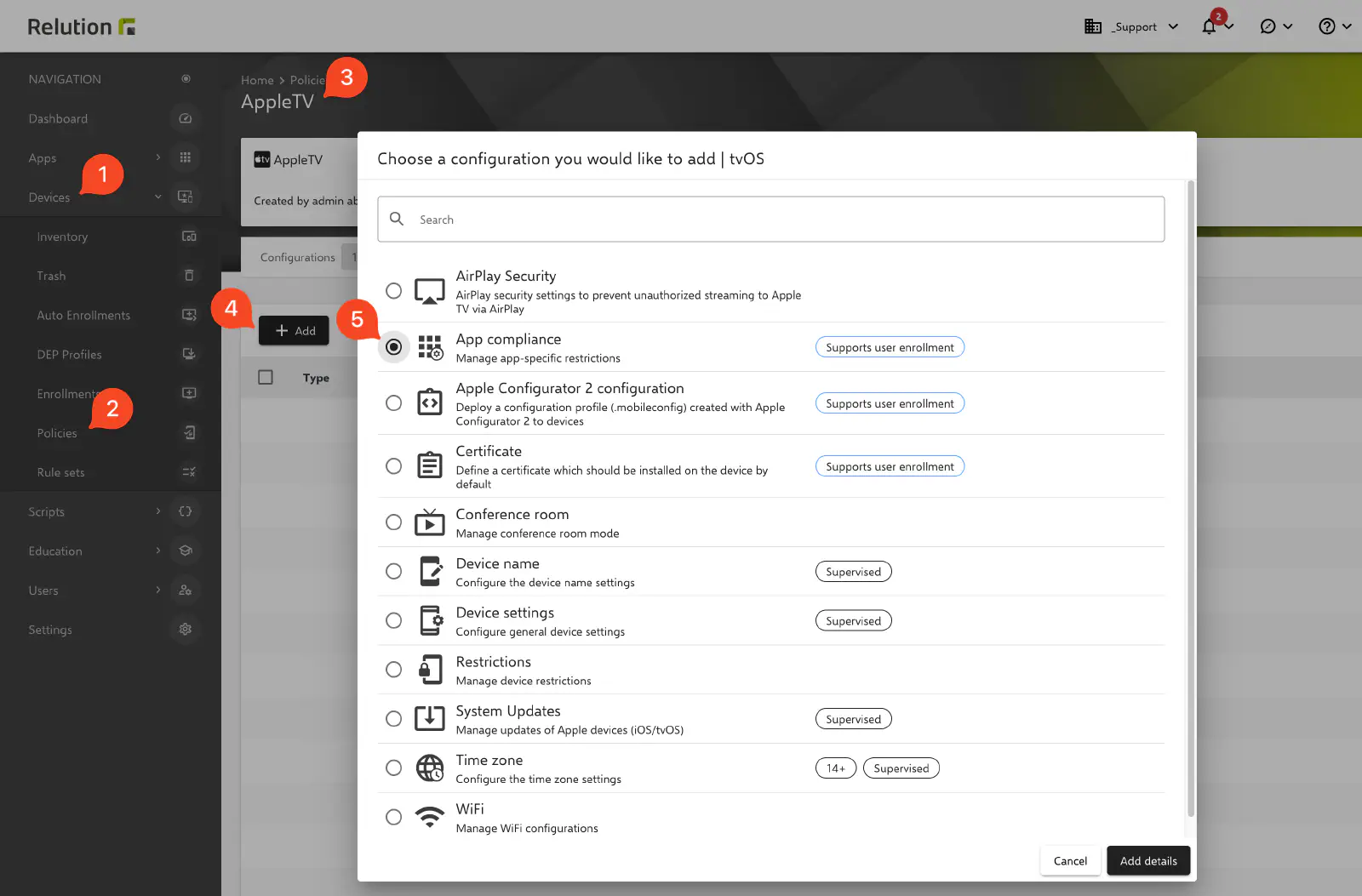
Apps can be shown or hidden using a block and allow list, similar to iOS.
Allow List
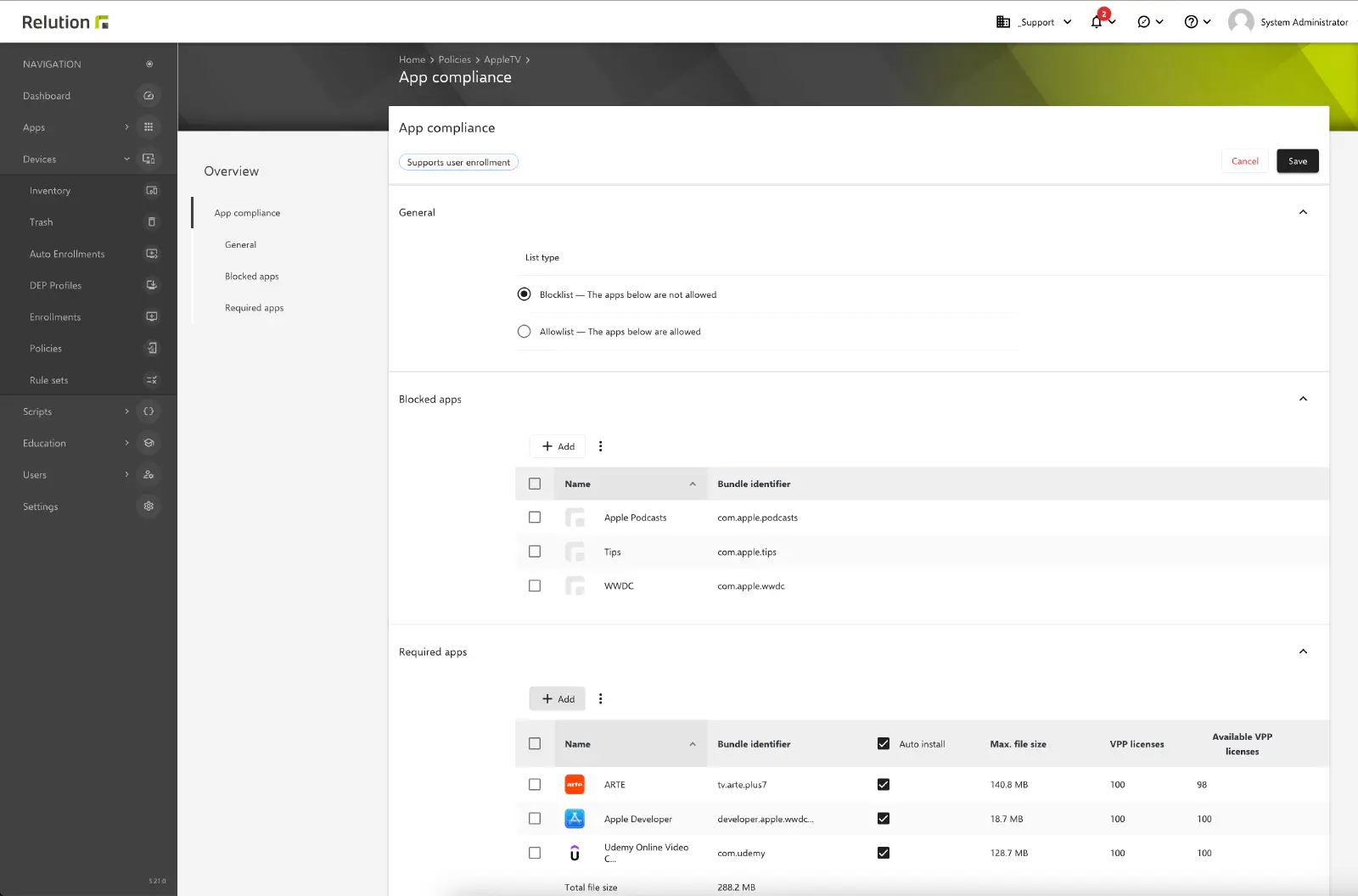
Block List
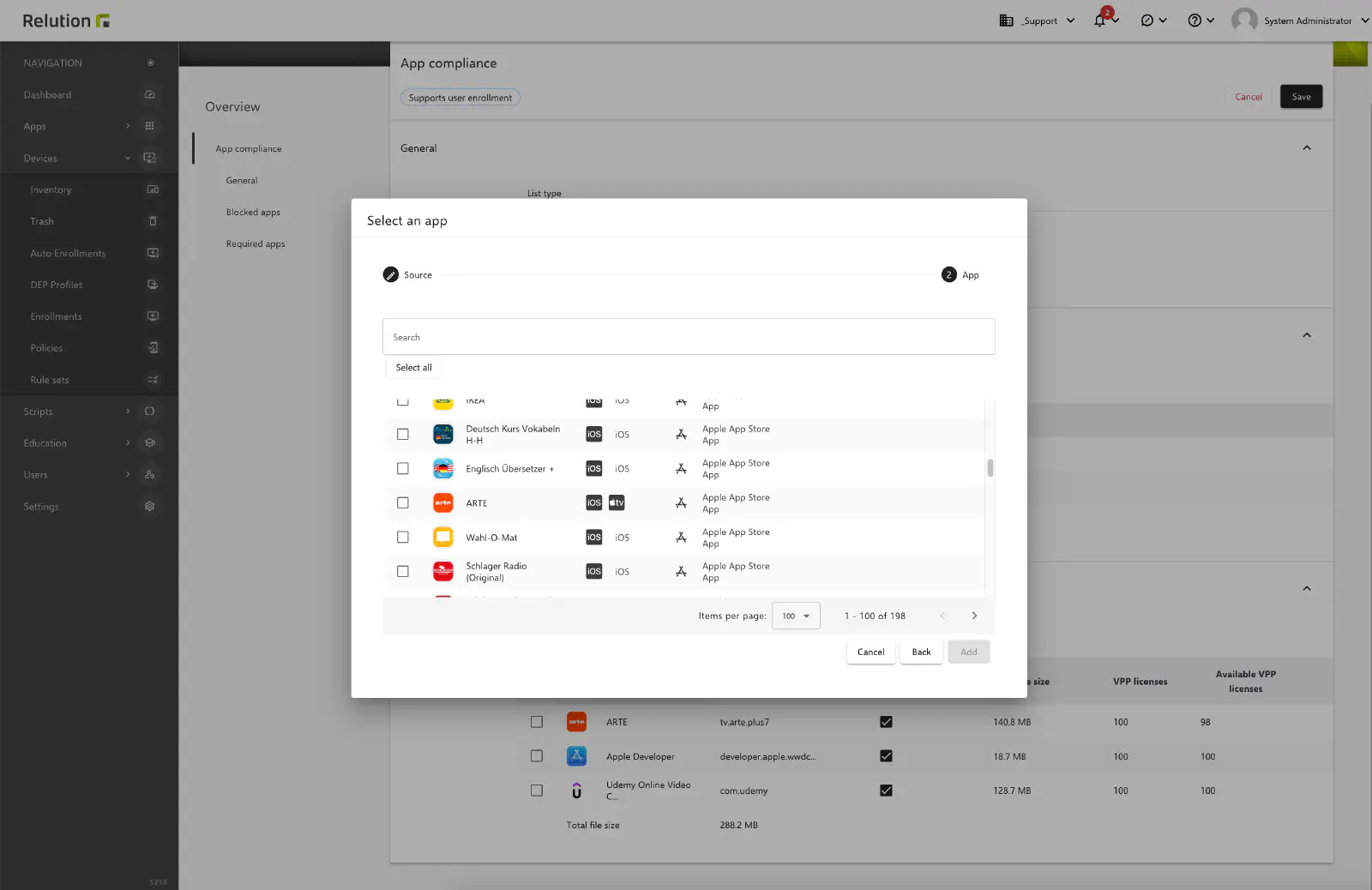
Under the Required Apps section, public apps with VPP licenses or native apps from the Relution App Store can be selected and mandatorily distributed to tvOS devices.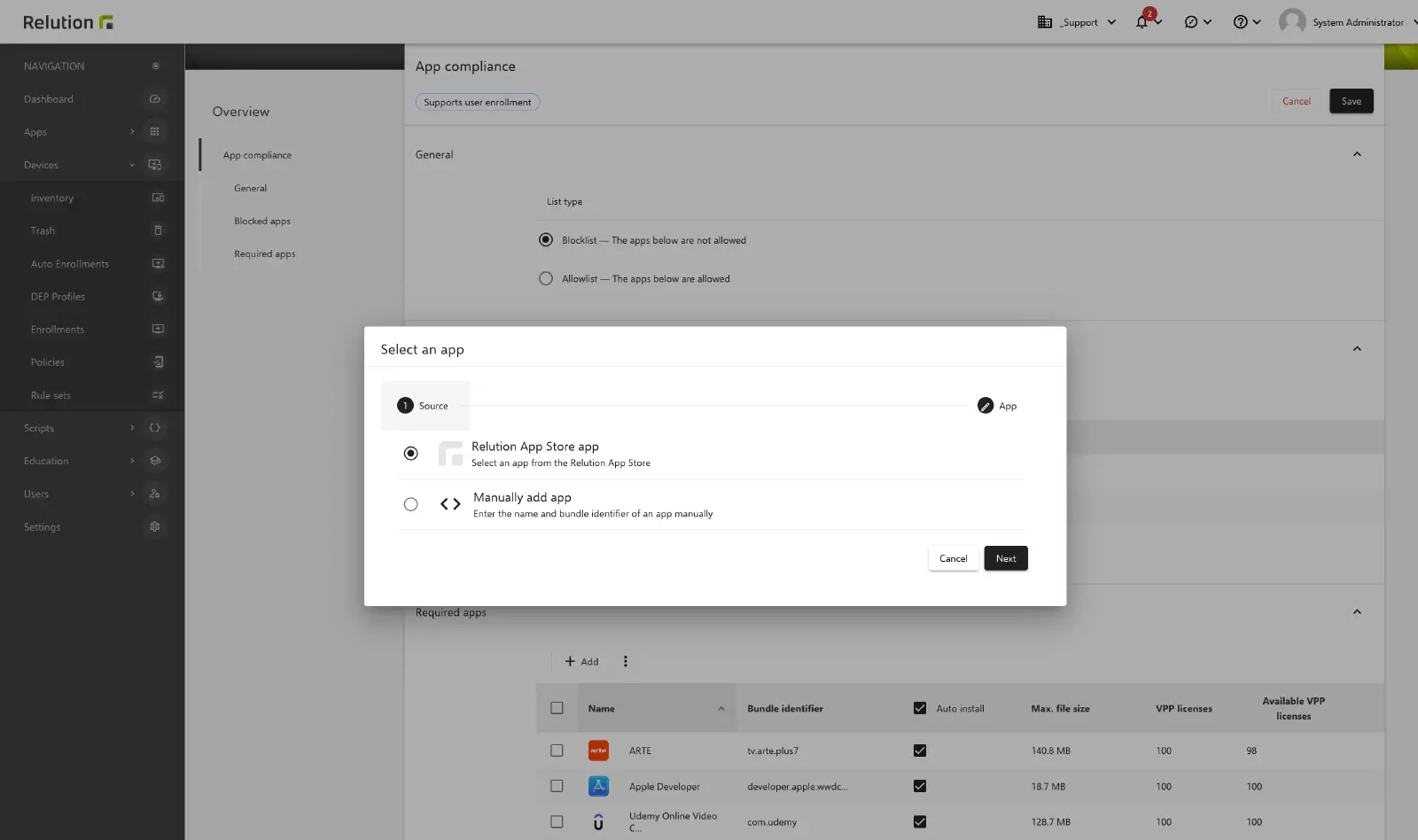
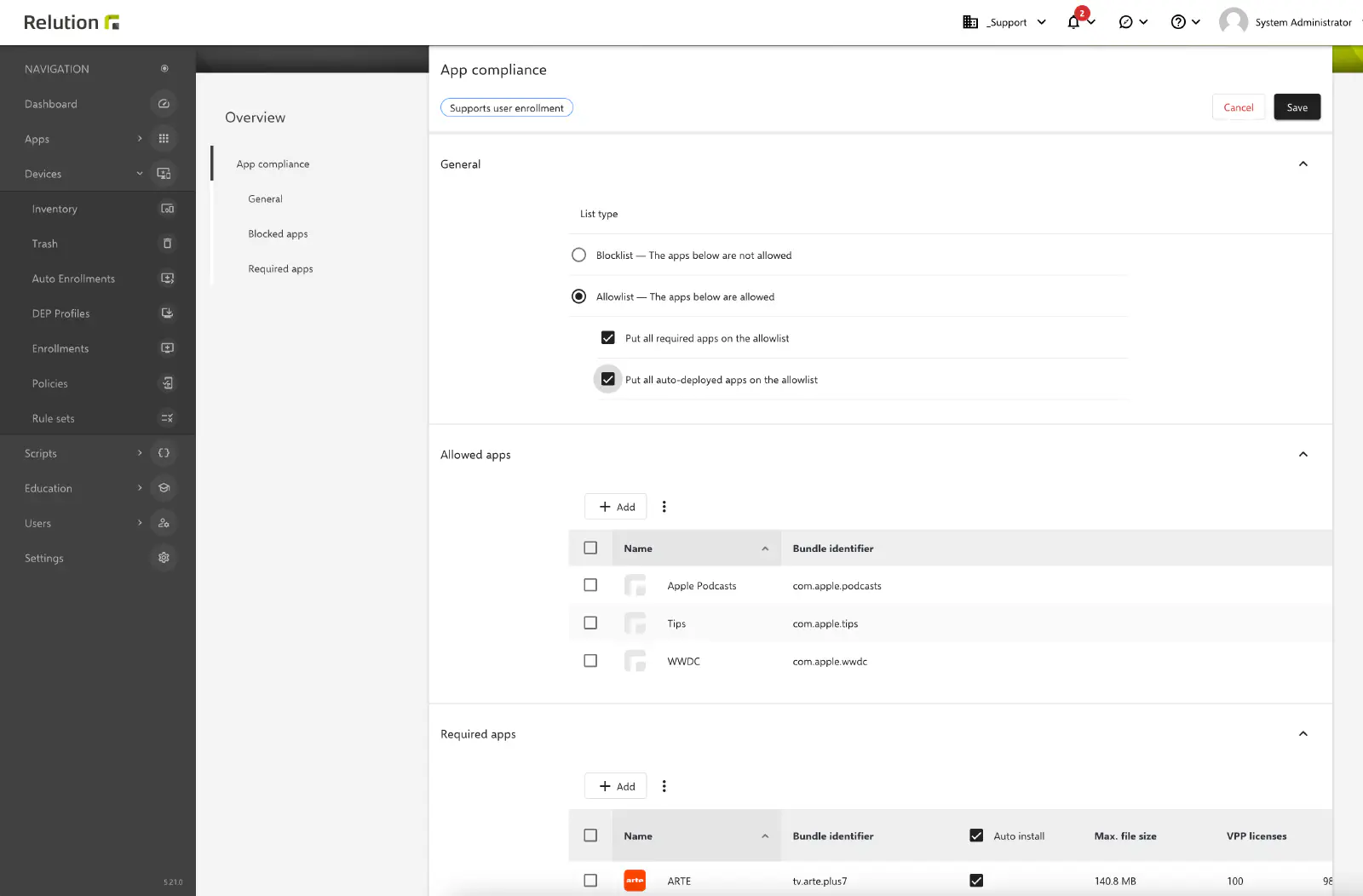
iOS apps can also be used on tvOS, as long as they are suitable for tvOS. Non-compatible apps will be installed on the device, but will disappear after the installation process and will not be available.
The completed configuration can then be saved, published, and assigned to additional devices as needed.