License Management by Partners
You can hand over the management of your licenses to a partner or service provider. To do so, you generate a connection key in Relution and pass it on to your partner. Using this key, the partner connects to your organization via the license server and can then manage your licenses.
This connection can be established not only for the Global organization but also for individual tenants that are managed by the partner.
Note: The connection key grants access to your organization’s license management. Only share it through a trusted, secure channel.
Copy the connection key (customer)
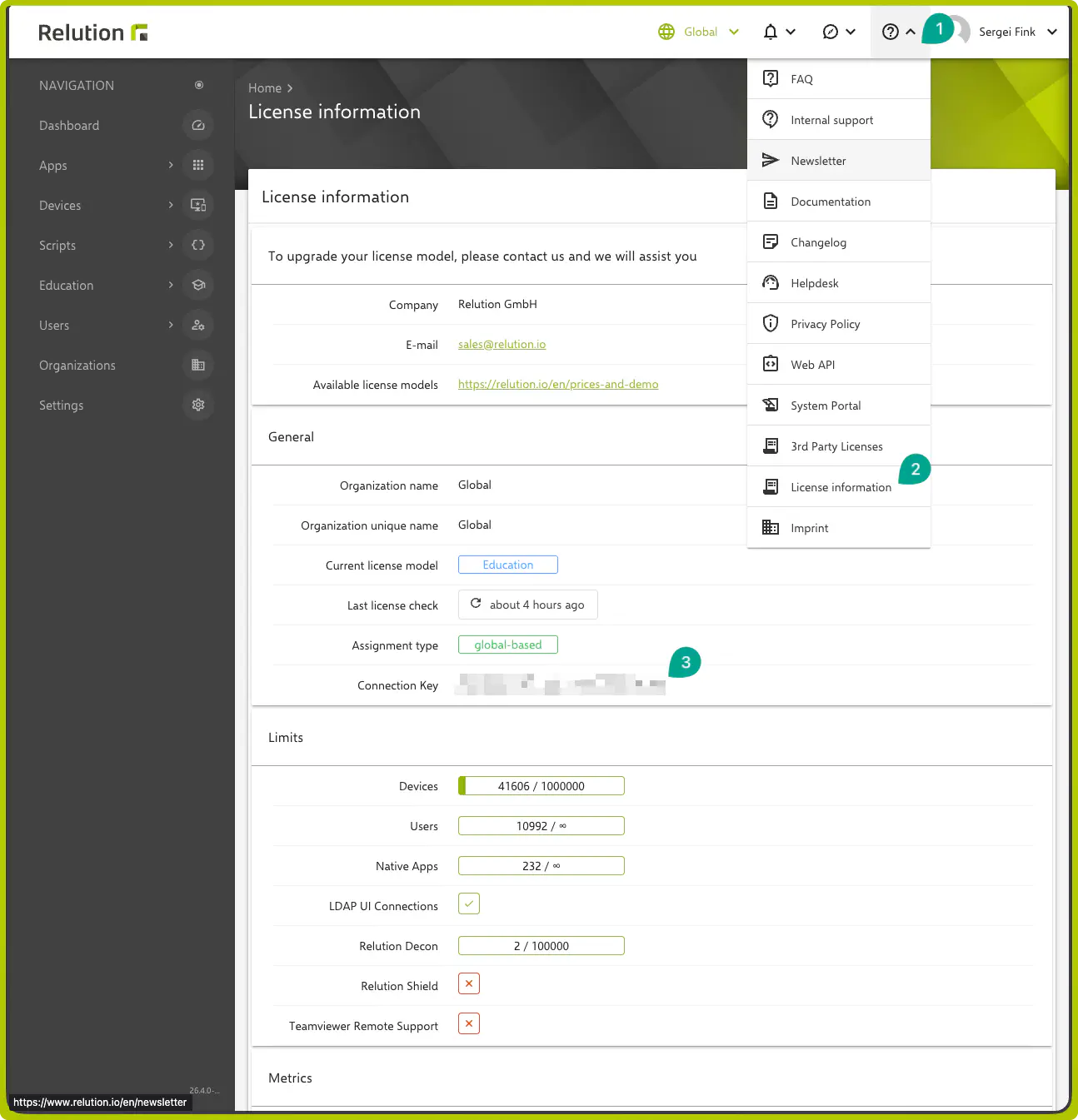
- Sign in to Relution and switch to the Global organization or to the tenant whose licenses are to be managed.
- Open the Help & Info Center in the top right corner and select
License information. - In the
Generalsection, copy the value of theConnection Keyfield.
Share the connection key
Send the copied connection key to the partner or service provider who is to take over license management on your behalf.
Connect the organization (partner)
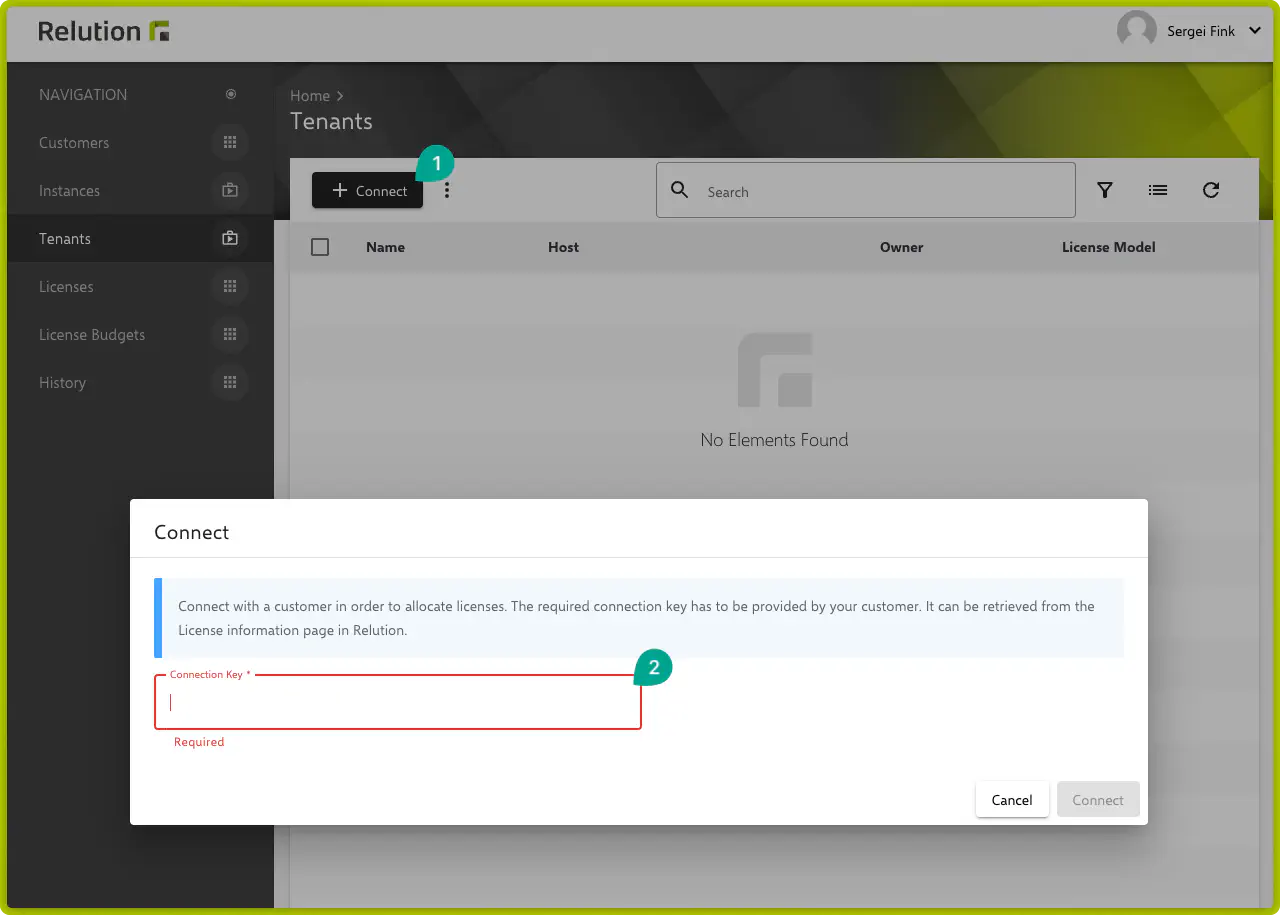
- The partner signs in to the license server: https://license.relution.io →
- Open
Tenantsin the sidebar navigation and clickConnect. - Paste the connection key into the input field and confirm with
Connect.
Result
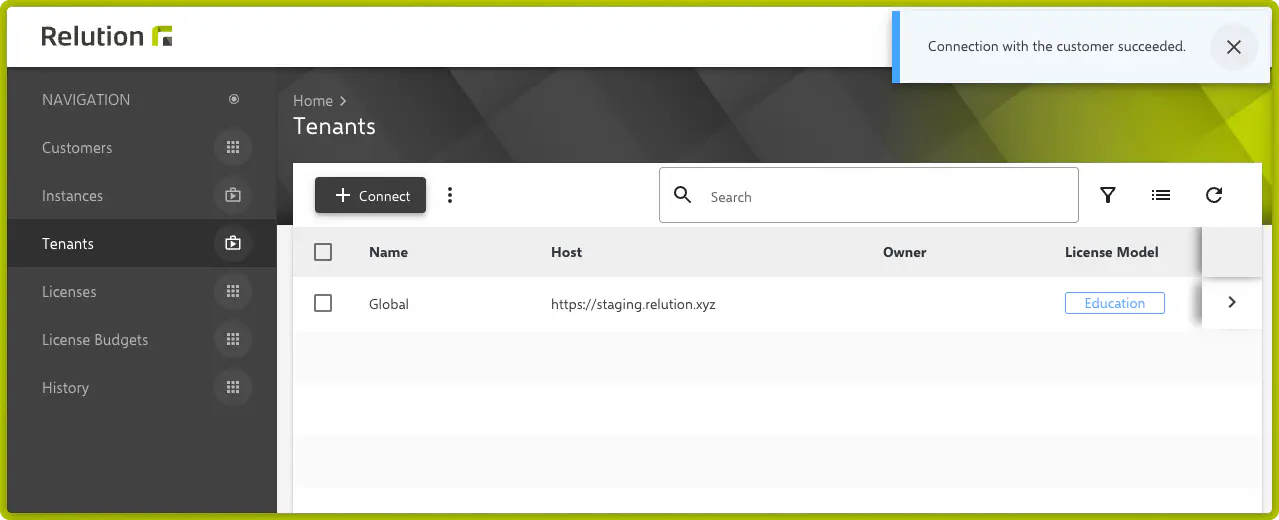
The organization is now connected to the partner and appears in their Tenants list. From now on, the partner can manage the licenses of the connected organization.
Summary
- License management can be delegated to a partner or service provider.
- The basis for this is the connection key, which you find under License information.
- The connection is possible for both the Global organization and individual tenants.
- Only share the connection key through a secure channel.