 Customer Hub
Migration from MariaDB to PostgreSQL
This guide describes the process of migrating the database for a Relution instance within a Docker environment.
Prerequisites
The following conditions must be met before the migration starts:
- Disk Space: At least as much free space as the current MariaDB database size (1:1 ratio).
- S3 Storage: A compatible S3 storage must already be configured.
Documentation to S3/SeaweedFS → - Version: The Relution instance must be at least version 5.31.0. In the section Update Relution →, it is brought to the current version. When updating from Relution 5.x to 26.1 or later, the intermediate versions described under Update → must be observed. Schema initialization and data migration must be carried out with the same Relution version, as pgloader only transfers the data.
- PostgreSQL: This guide uses the
postgres:18image. If a separate PostgreSQL server is used instead, at least PostgreSQL 14 is required; otherwise Relution aborts the start.
Data Backup (Optional)
If no virtual machine snapshots or external backups are available, a manual export and a file backup are performed.
Export of MariaDB to an SQL file:
docker exec docker_mariadb mariadb-dump -u relution -p --max_allowed_packet=5G relution > relution.sql
Backup of the configuration files:
cd /opt/relution/ && zip -r backup.zip ./*
Update Relution
The installation is brought up to date:
cd /opt/relution/ && docker compose pull && docker compose up -d
Stop Services
The Relution container is stopped to ensure data consistency during preparation:
docker compose down relution
Modify Docker Configuration
The Compose file (compose.yaml, or docker-compose.yml for older installations) is extended: the services for pgloader and the new database (PostgreSQL) are added, and the relution block is adjusted.
Add New Services
services:
  pgloader:
    image: ghcr.io/dimitri/pgloader:latest
    networks:
      - relution-network
    volumes:
      - "./pgloader.load:/pgloader.load"
    tty: true

  database:
    image: postgres:18
    restart: unless-stopped
    container_name: database
    environment:
      TZ: "Europe/Berlin"
      POSTGRES_DB: "relution"
      POSTGRES_USER: "relution"
      POSTGRES_PASSWORD: "$PASSWORD"
    expose:
      - "5432"
    volumes:
      - "postgresql:/var/lib/postgresql"
    networks:
      - relution-network
Adjust Existing Relution Block
The dependencies are changed and the migration argument is added:
  relution:
    image: relution/relution:latest
    restart: on-failure # Changed from always to on-failure
    container_name: docker_relution
    networks:
      relution-network:
        aliases:
          - relution-docker
    depends_on:
      - database # Changed from mariadb
    environment: # replace old list notation (e.g. "- TZ=Europe/Berlin") if present, don't mix it with the mapping notation
      TZ: "Europe/Berlin"
      RELUTION_ARGUMENTS: "--database-migration-only" # Newly added

volumes:
  mariadb:
  postgresql: # Newly added
pgloader Configuration
- The file pgloader.load → is downloaded into the directory
/opt/relution/. - The configuration is adapted to the environment.
     FROM mysql://relution:dbpassword@mariadb-docker:3306/relution
     INTO postgresql://relution:dbpassword@database:5432/relution
If the name of the MariaDB database differs from relution, the line ALTER SCHEMA 'relution' RENAME TO 'public' in the pgloader.load is also adjusted to this name.
The template is designed for large databases: pgloader keeps only a few rows in memory at a time, and MariaDB does not drop the connection during longer pauses. With disable triggers, pgloader turns off foreign key checks during the import. This requires superuser privileges for the user in the INTO line. The Docker setup in this guide meets this requirement; with a separate PostgreSQL server, it must be checked.
Initialize Database Schema
First, the application.yml is adjusted so that Relution recognizes the switch to PostgreSQL:
relution:
  database:
    type: postgresql
    url: jdbc:postgresql://database/relution?currentSchema=public
    username: relution
    password: $PASSWORD
If the database is not configured in the application.yml but via the environment variables DATABASE_TYPE, DATABASE_URL, DATABASE_USER and DATABASE_PWD in the relution block of the Compose file, these variables are adjusted accordingly instead.
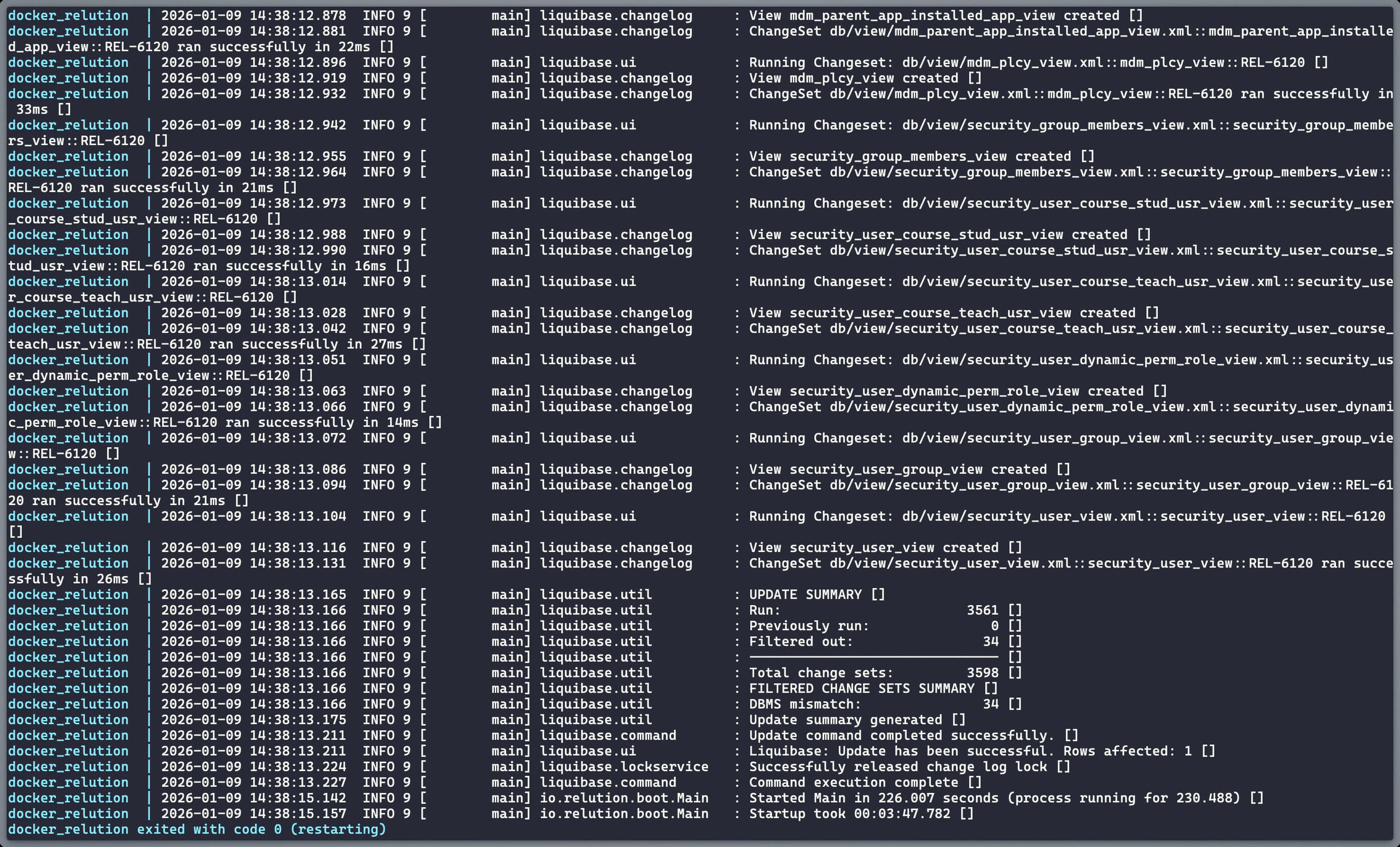
PostgreSQL and Relution are now started. Due to the --database-migration-only flag, Relution will only create the schema in PostgreSQL and then terminate.
docker compose up -d database && docker compose up relution
The process is complete when the container exits with code 0:
docker_relution exited with code 0
Execute Data Migration
The pgloader container is started and the data is migrated from MariaDB to PostgreSQL:
docker compose up -d pgloader && docker compose exec pgloader bash
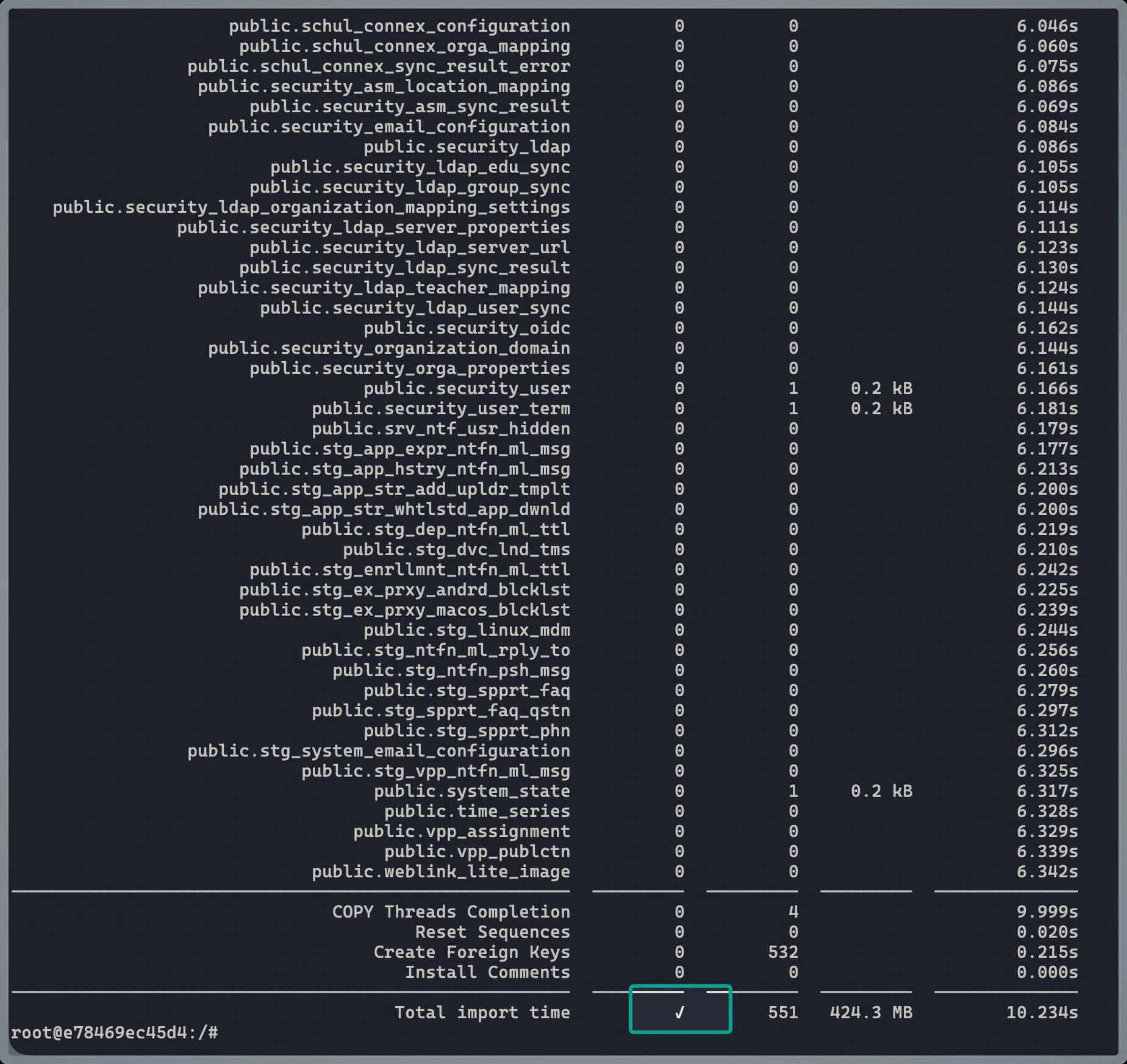
The migration command is run inside the container:
pgloader pgloader.load
Cleanup and Completion
After a successful migration, the temporary configurations and the old MariaDB container must be removed.
To be removed from the Compose file:
- The entire
mariadb:block underservices. - The
pgloader:block underservices. - The
mariadb:volume undervolumes.
- The entire
To be adjusted in the
relutionblock:restart: on-failureis changed back torestart: always.- The line
RELUTION_ARGUMENTS: "--database-migration-only"is removed.
Deletion of the migration file:
rm pgloader.load
Restarting the services: Everything is shut down to remove orphaned containers, and the system is restarted:
docker compose down --remove-orphans && docker compose up -d
The migration is now complete, and Relution is running natively on PostgreSQL.