 Customer Hub
Relution as Identity Provider
From version 26.5.0, Relution can act as its own OpenID Connect / OAuth2 Identity Provider — client applications are registered directly in Relution, allowing users to sign in with their existing Relution account across all connected applications.
The configuration is located under Settings → Identity Provider. The page is only visible with the permission to read IdP clients; registering, editing and deleting clients requires the respective permissions.
Feature overview
- Standard OIDC login flow using the Authorization Code flow with PKCE; refresh tokens are supported.
- Multi-factor authentication: From Relution 26.5.5, signing in to connected applications also goes through multi-factor authentication →. Users with MFA configured or enforced confirm the second factor, or set it up, during sign-in and are then returned to the application.
- Per-client configurable scopes (
profile,email,phone,relution), including a consent screen shown to users. Therelutionscope provides Relution-specific data (e.g. organization membership). Thephonescope can be enabled but currently provides no additional claims (e.g. no phone number). - Single sign-out: both RP-initiated logout and OIDC Back-Channel Logout 1.0 are supported. An RP-initiated logout also ends the Relution session in the browser.
- Revocation on account changes: From Relution 26.5.5, Relution revokes all authorization codes, access tokens and refresh tokens of a user as soon as their password is changed or their account is locked or deactivated. Connected applications then have to sign the user in again; granted consents are kept. When the user is deleted, their consents are removed as well. In addition, every token issuance, including renewal via refresh token, checks whether the user still belongs to the organization. After updating to Relution 26.5.5 or later, a one-time new sign-in is required in connected applications.
- Signing keys (JWK): The keys used to sign tokens are automatically managed and regularly renewed by Relution (an active key is replaced by a new one after four months) — no action is required.
Rotating and revoking signing keys
Signing keys are managed in the Signing Keys section of the Settings → Identity Provider page. This section is only available in the global organization; it is not displayed in meta organizations and suborganizations.
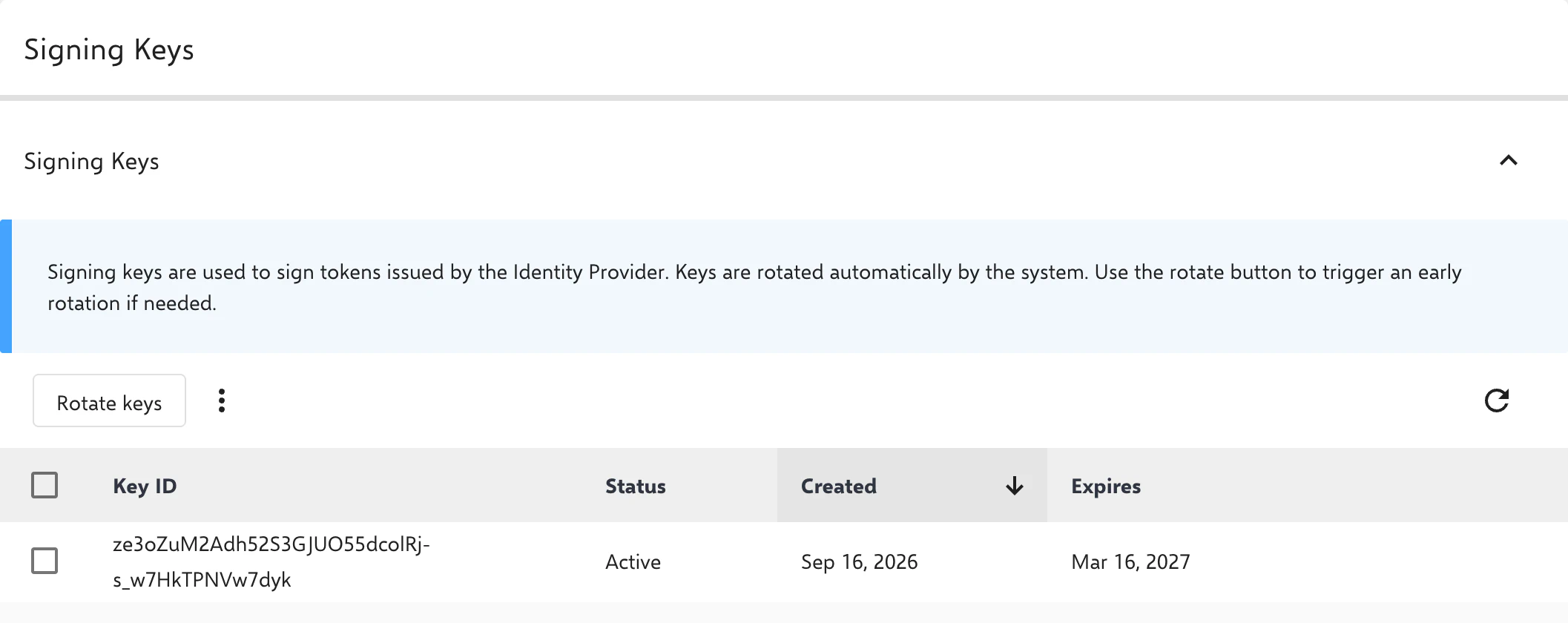
Automatic rotation fully covers normal operation. For exceptional cases (e.g. a security incident), two manual actions are available:
- Rotate keys: A new active key is created and the previous one is retired (status Retiring). Tokens already issued remain valid until they expire. Another rotation is possible no earlier than five minutes after the last one.
- Revoke: The selected key is immediately removed from the published key set. Note that connected applications (relying parties) may still have the previous key cached for a while, so tokens signed with it may not be recognized as invalid until that cache expires.
Endpoints for integration
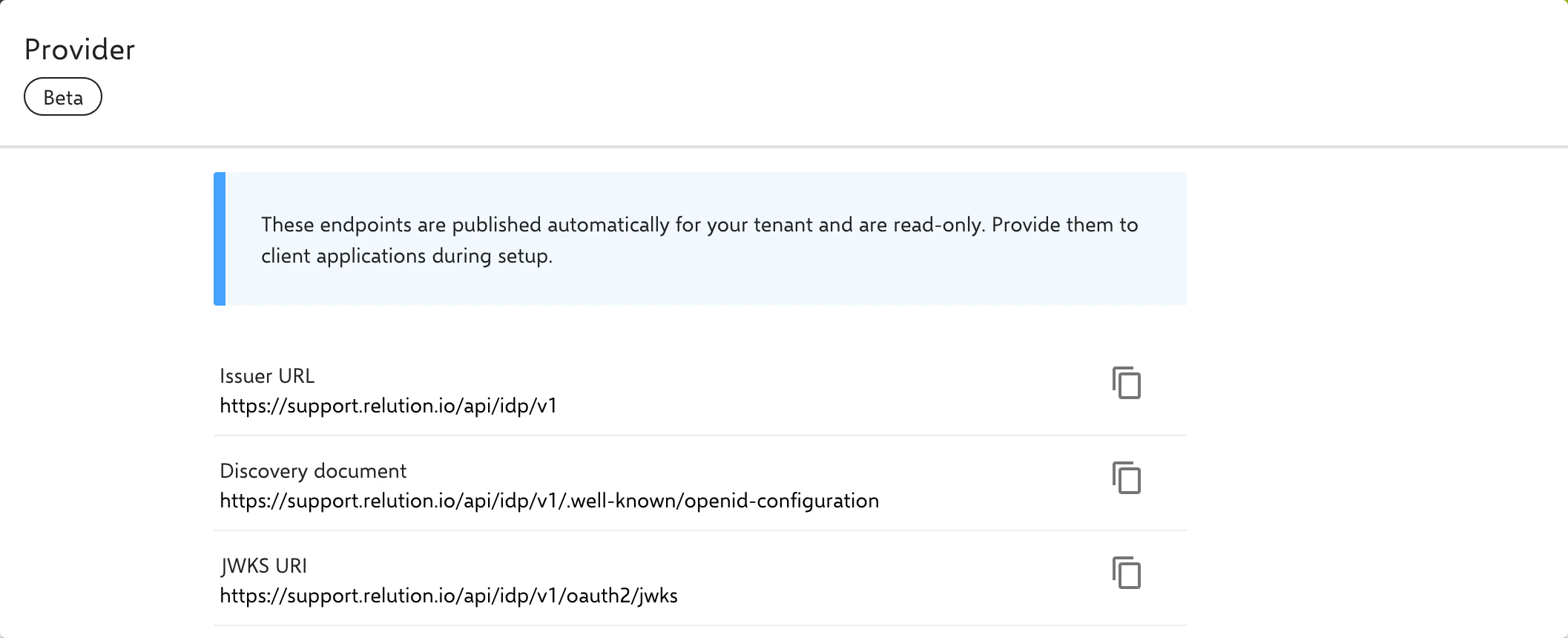
In the Provider section at the top of the Settings → Identity Provider page, the Issuer URL, the Discovery document (.well-known/openid-configuration) and the JWKS URI are displayed and can be copied directly. Further technical endpoints (e.g. the token endpoint) can be looked up in the discovery document if needed.
IdP chaining
Relution can also be chained behind an upstream identity provider (e.g. Microsoft Entra ID → Relution → connected application).
Registering a client
A dedicated client is created for each connected application via Register client:
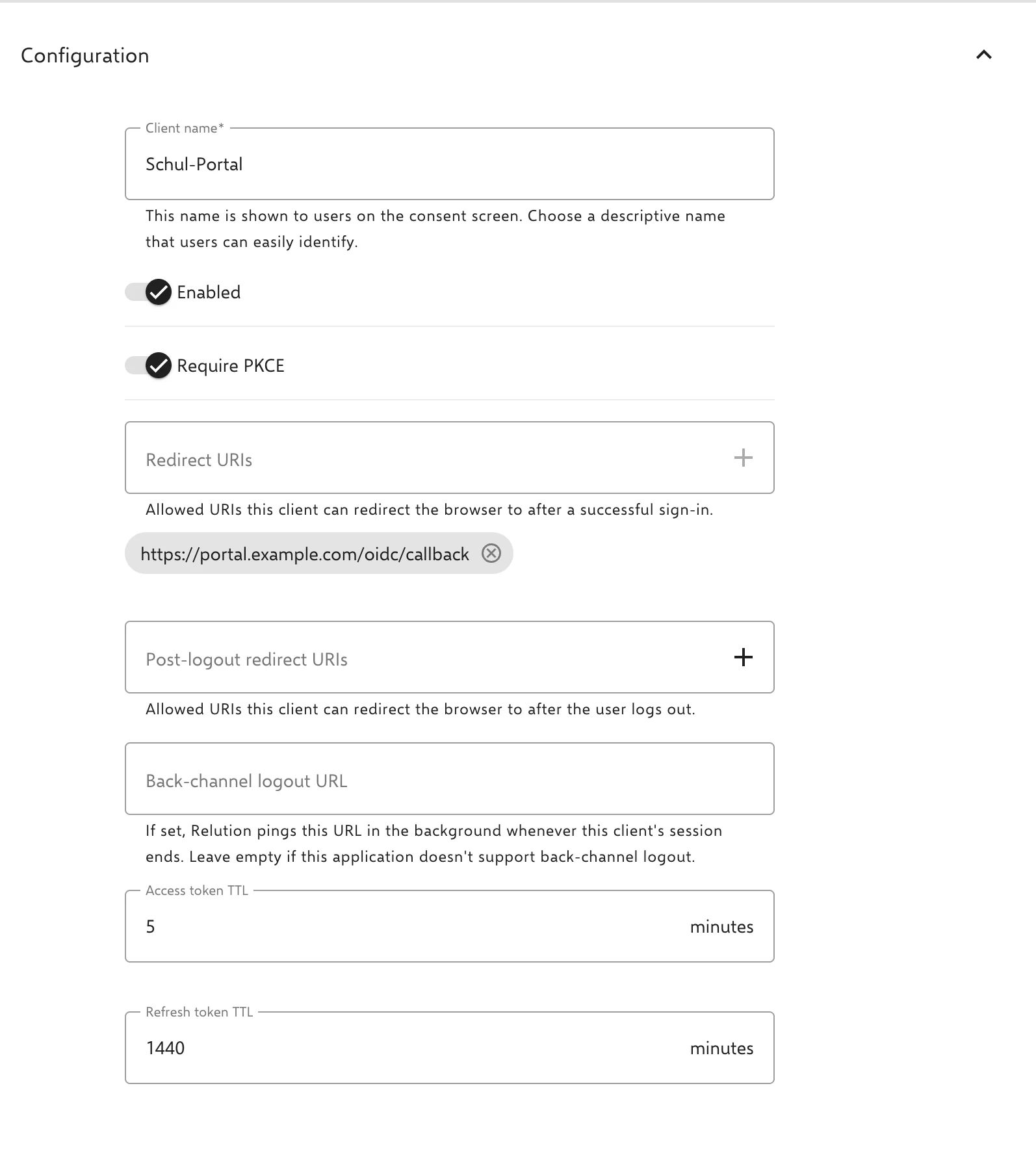
- Client name: Freely chosen, shown to users on the consent screen, and used by administrators to distinguish multiple clients.
- Client ID and Client secret: Generated automatically and required by the connecting application (relying party). The application authenticates with them using
client_secret_basicorclient_secret_post. The client secret is displayed only once, directly after the client is created, and must be copied at that point; it cannot be retrieved later. If it is lost, a new secret can be generated in the Registered Clients list via Regenerate secret (also displayed only once). This invalidates the previous secret and revokes all existing tokens for the client. - Enabled: A disabled client rejects new sign-ins and token renewal via refresh token.
- Require PKCE: Enabled by default. If the connecting application does not support PKCE, the option can be disabled for the respective client.
- Redirect URIs: Provided by the connecting application and must be entered accordingly.
- Post-logout redirect URIs: Addresses to which the application may redirect the browser after an RP-initiated logout.
- Back-channel logout URL: If set, Relution notifies the application in the background as soon as the client’s session ends. Left empty if the application does not support back-channel logout.
- Access token TTL and Refresh token TTL: Lifetime of the issued tokens. For new clients, the form is prefilled with 5 minutes and 1 day respectively; permitted values are 1 to 60 minutes for access tokens and 1 to 90 days for refresh tokens. If the user’s password is changed or the user is locked, deactivated or deleted, the tokens are revoked early regardless of the TTL (see Revocation on account changes under Feature overview).
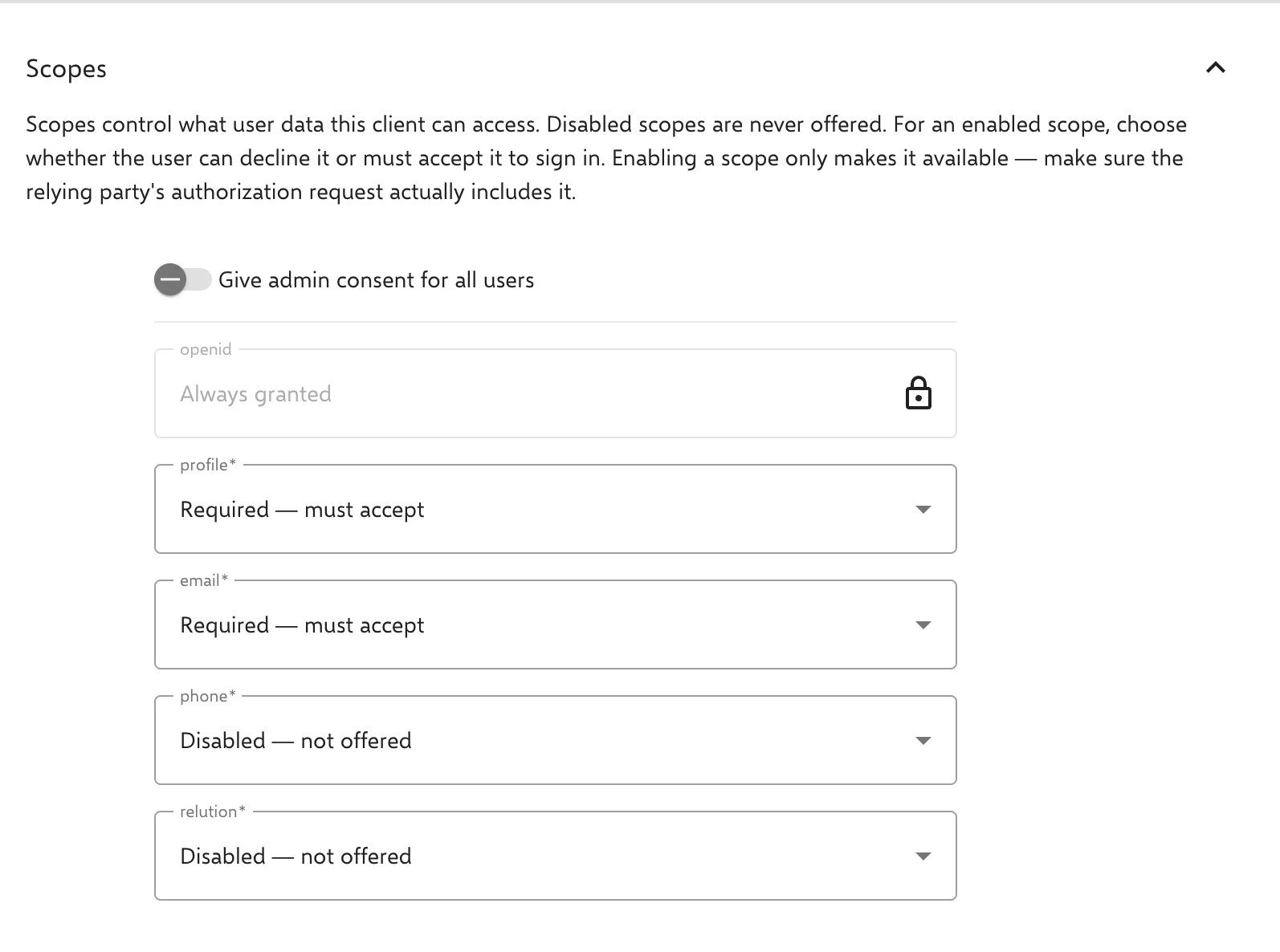
- Scopes: Each scope is set to Disabled, Optional or Required. By default,
profileandemailare required,phoneandrelutionare disabled.openidis always active (Always granted). Enabling a scope only makes it available; the connecting application must also request it during the login flow. If the request lacksopenidor a required scope, the sign-in is rejected with the errorinvalid_scope. Optional scopes are only granted if the application requests them and they are not declined on the consent screen. - Give admin consent for all users (admin consent): Consent for all of a client’s scopes can be pre-approved by administrators (all-or-nothing, not per individual scope) — users are then not prompted to accept them on the consent screen the first time they log in to the application. While this option is enabled, scopes can only be configured as Disabled or Required. Scopes previously set to Optional are automatically reset to their default value (
profileandemail: Required;phoneandrelution: Disabled).
Clients that are no longer needed are deleted in the Registered Clients list.
Visibility by organization level
The organization level at which a client is registered determines which users can sign in through it:
- Global: All users across the entire system can sign in.
- Meta organization: All users of the meta organization and its suborganizations can sign in.
- Suborganization: Only users of that specific suborganization can sign in.
Token preview
A preview of the resulting token claims can be viewed for a client’s current scope configuration — making it possible to check in advance which information a connected application would receive in the token.
The scopes provide the following claims:
| Scope | Claims |
|---|---|
openid | sub (user ID), amr (authentication method), additionally idp with an upstream identity provider |
profile | name, given_name, family_name, preferred_username, locale, updated_at |
email | email |
relution | UUID, name and unique name of the user’s organization |
phone | currently none |
Granted consents
In their profile, users see on the Authorized apps tab which applications they have granted which scopes to, and can revoke access there. Administrators with the corresponding permission find the same section in a user’s details. Revoking also removes the application’s existing authorizations for that user, so the application can no longer obtain new tokens via refresh token; consent is requested again at the next login.
Logging
Logins through the Identity Provider are recorded both in the audit log and in the respective user’s login history. In the login history, the IdP Client column shows which client the login was made through.