Customer Hub
Licensemanagement
Device licenses are required to configure devices in Relution. These licenses can be obtained either directly from our sales team or from a partner. Once purchased, the licenses are assigned either to the server or the Organisations.
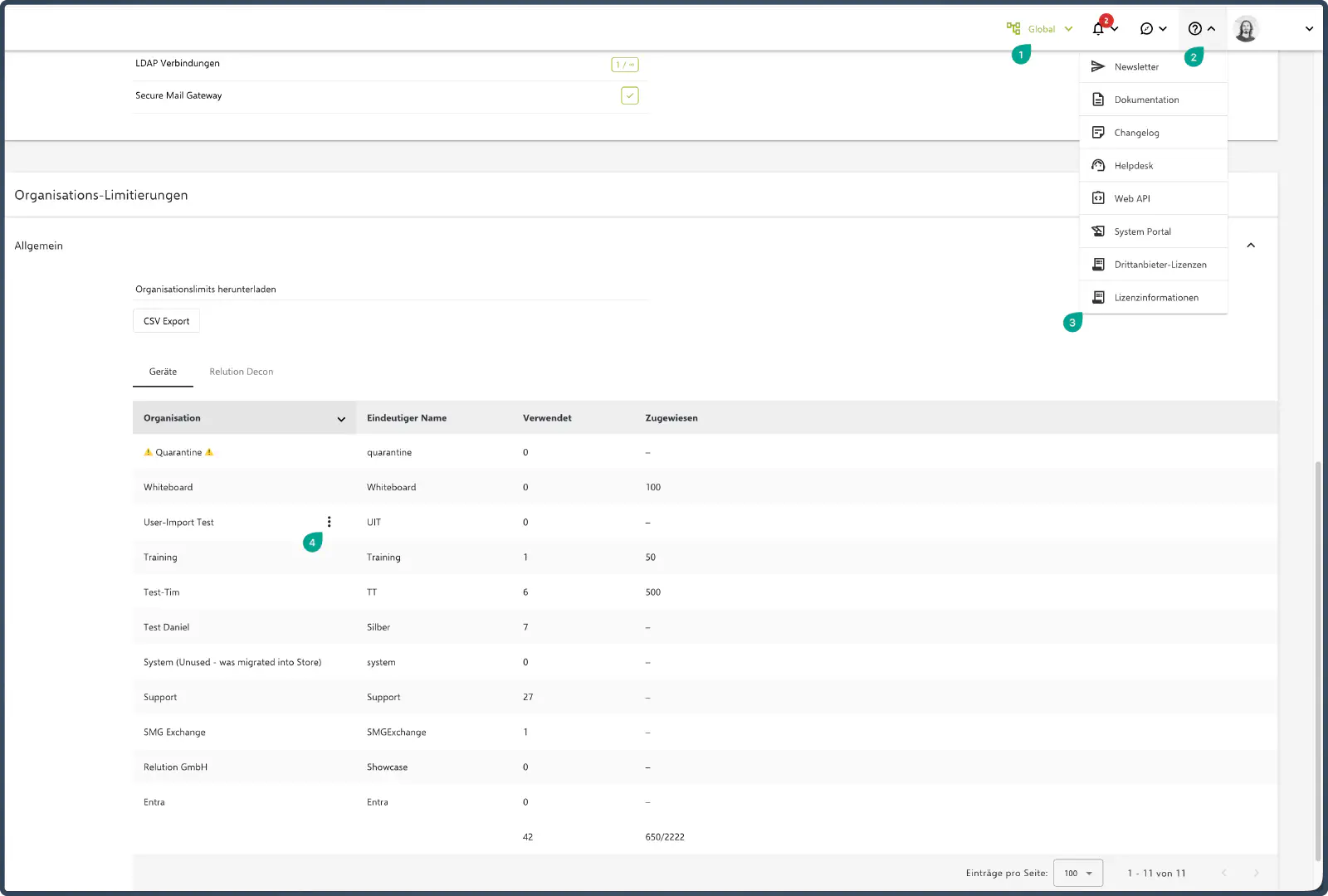
If a dedicated server (OnPrem / dedicated cloud server) is used, a limit can also be assigned to the number of licenses for individual locations.
This limitation restricts the number of devices registered at a location according to the number of licenses. This function ensures that locations do not use more licenses than are actually required.
By default, locations do not have a limit unless the licenses are explicitly assigned by our sales team.
Adjust limitation
- Log in as system administrator and open the system portal.
- Navigate to the Help & Info Center and open the license information.
- Find the location for which a limitation should be set and click on the button with the three dots.
- Specify the desired number of licenses as a limitation here.