Customer Hub
Off-Time Configuration
The off-time configuration in Relution allows users with the corresponding permissions (by default the Administrator and Device Manager roles of an organization) to enter school holiday calendars for federal states and to add their own dates, either manually or by uploading an existing calendar file. Policies in which off-time is enabled are disabled during these periods.
Configuration
The off-time configuration is located within an organization under Settings → Off-time Configuration. It is not available in the global organization.
Synchronizing school holiday calendars
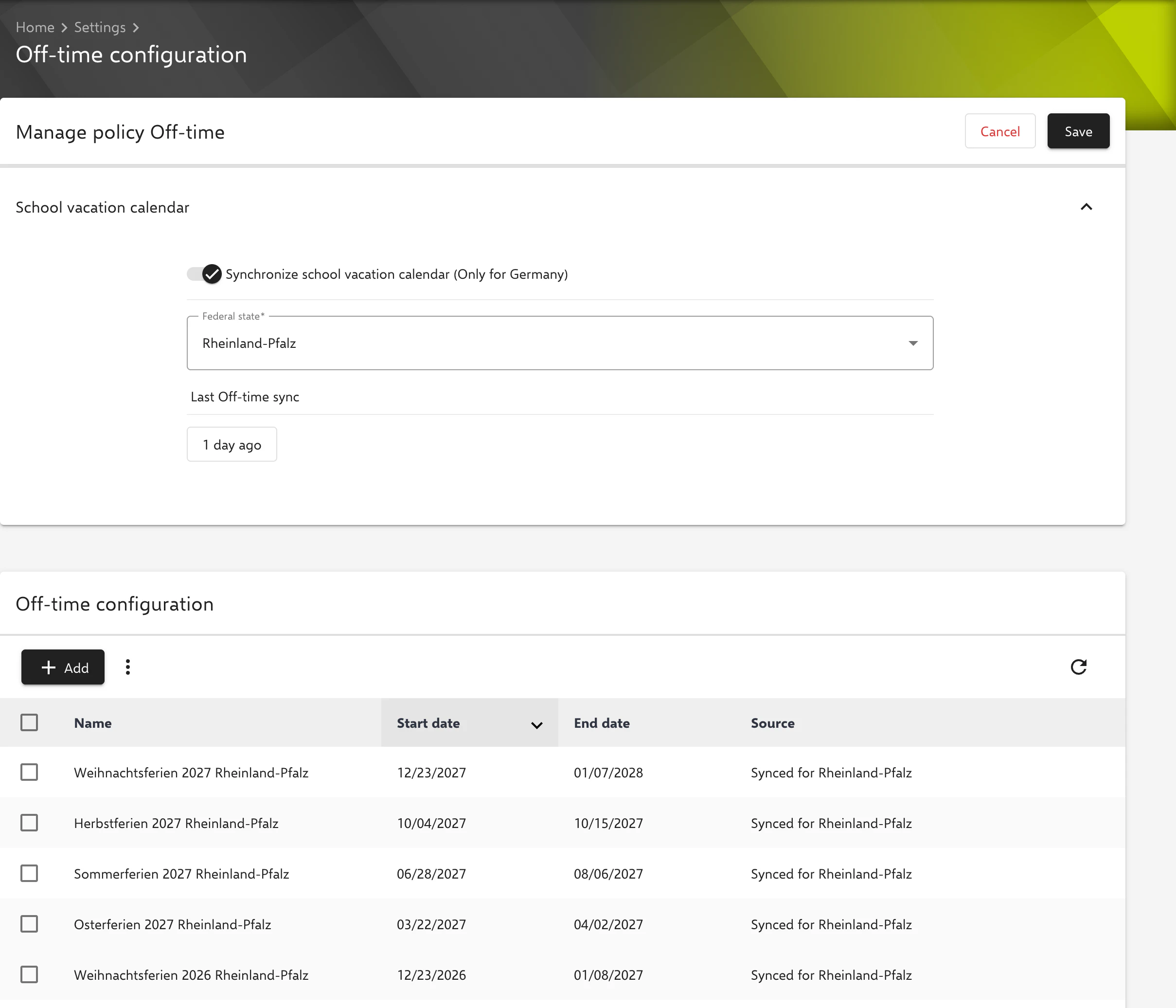
Synchronization is enabled using the Synchronize school vacation calendar (Only for Germany) switch and the Federal state selection, and applied with Save. The holidays of the current and the following year are imported; after that, the server updates the entries automatically. The synchronization can be started manually using the button next to Last Off-time sync. If synchronization is disabled, all synchronized entries are deleted.
Adding or importing custom periods
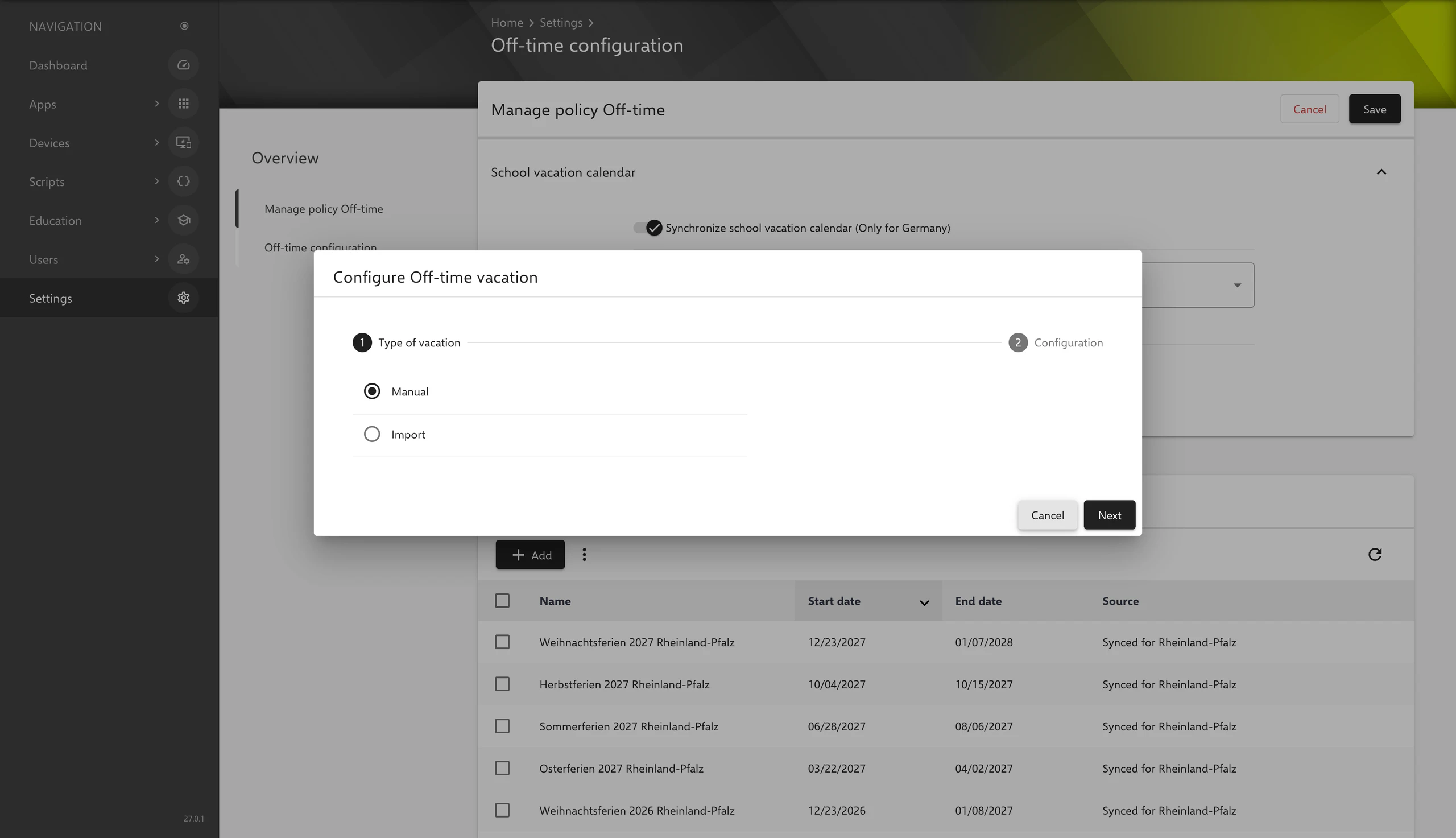
Add opens the Configure Off-time vacation dialog. In the Type of vacation step, Manual or Import is selected:
- Manual: A Name and the Off-time custom period with start and end date are entered.
- Import: A calendar file is uploaded. The following formats are supported:
.ical,.ics,.ifb,.icalendar. Only all-day events with a title are imported; the title becomes the name of the off-time.
For each entry, the list shows the name, start date, end date and source (manual, imported with the name of the calendar, or Synced for a federal state). Past entries are shown greyed out. Entries can be edited and deleted; via the context menu, the off-times can be exported as an iCalendar file (Export Off-times to iCalendar) or as CSV. Expired off-times are removed automatically two years after their end by default.
Application in policies
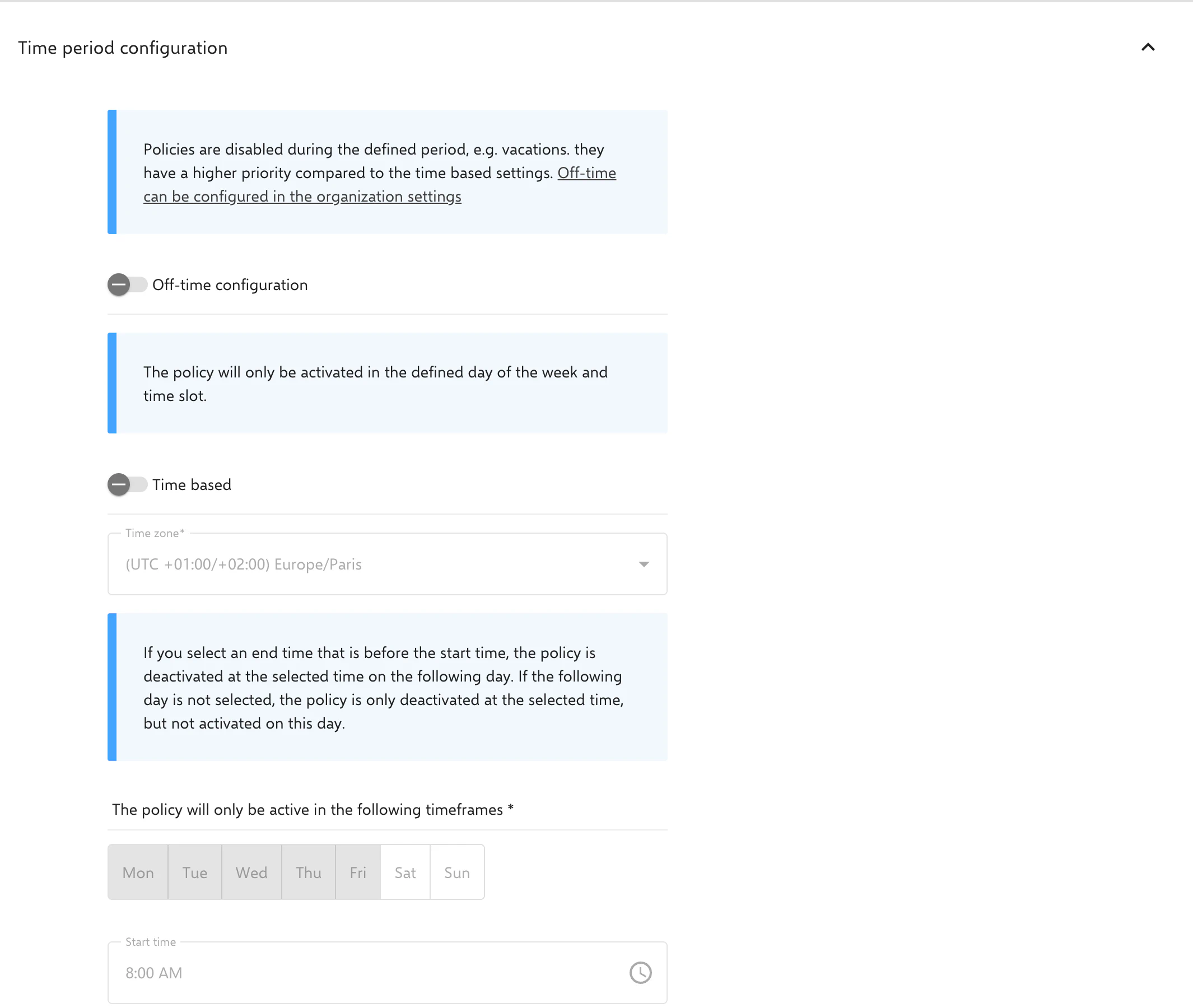
When creating or changing a policy, the Off-time configuration switch can be enabled. When it is enabled, the policy is disabled during all periods defined in the off-time configuration (e.g. school holidays) and is not applied to devices. This also applies if no time-based schedule is set up. The periods are evaluated in the Time zone of the policy, which can also be set without a time-based schedule when off-time is enabled; if no time zone is set, the server’s time zone applies.