 Customer Hub
wende.interaktiv
Relution enables the management of interactive whiteboards from the wende.interaktiv brand.
Supported product ranges and models
The galneoscreen product series is supported by Relution:
- galneoscreen V2
- galneoscreen V3
- galneoscreen V4
- galneoscreen V5
These models are supported only in combination with the following Android versions:
- Android 8
- Android 9
- Android 11
- Android 14 (limited range of functions)
Create enrollment
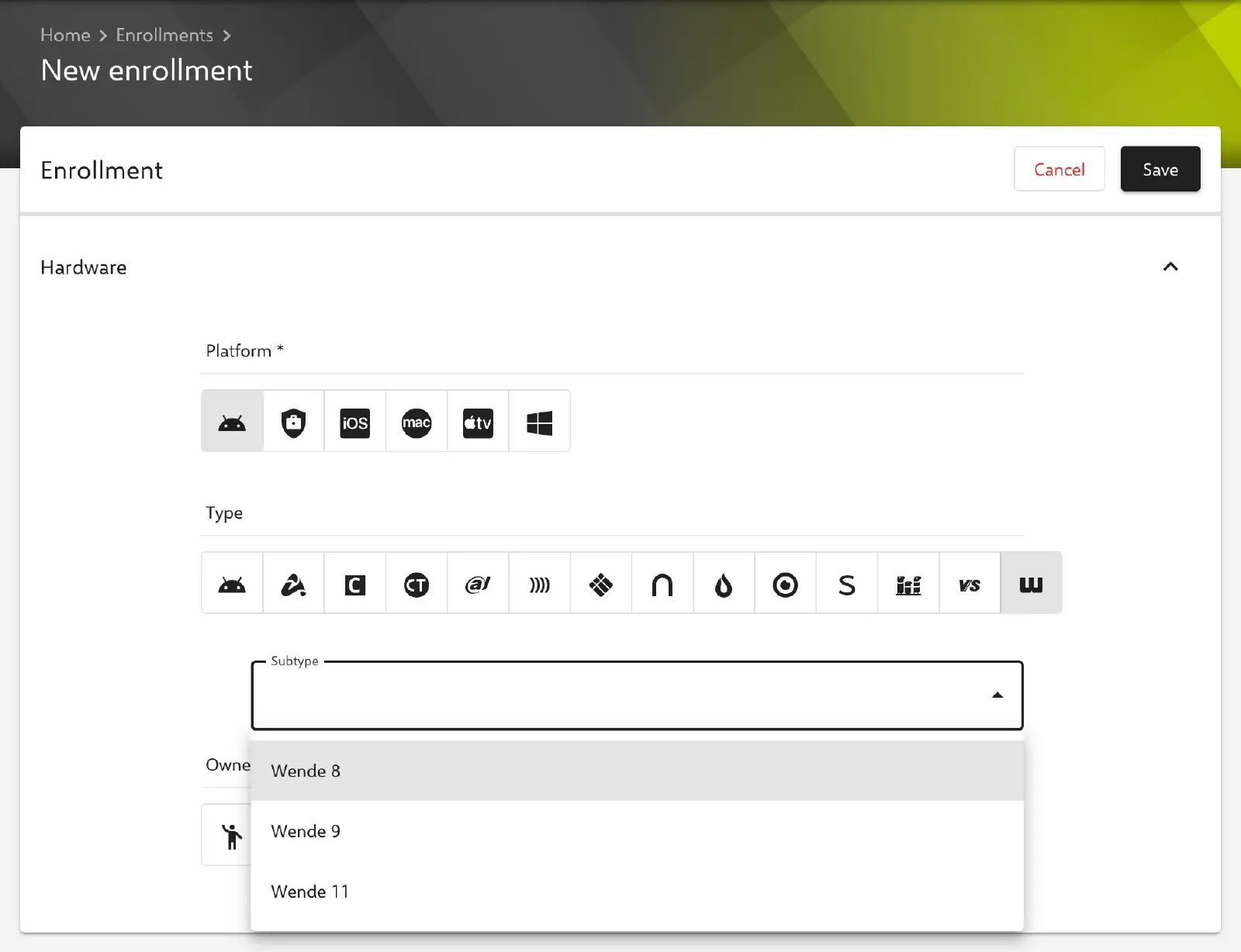
To enroll a device, an enrollment is created for the Android platform with the enrollment type Wende. Depending on the Android version of the model to be enrolled, the appropriate subtype is then selected: Wende 8, Wende 9, or Wende 11.
The following table provides an overview of which subtype is to be used for which Android version:
| Android version | Enrollment subtype | Provision of the Relution Companion |
|---|---|---|
| Android 8 | Wende 8 | Relution |
| Android 9 | Wende 9 | Relution |
| Android 11 | Wende 11 | Relution |
| Android 14 | Wende 11 | wende.interaktiv |
Enroll interactive whiteboard
An individual enrollment link is generated for each enrollment. The link is opened on the device, and the on-screen instructions are followed from there.
Devices with Android version 8, 9 or 11: For devices with Android version 8, 9 or 11, Relution automatically provides the appropriate Companion version based on the previously selected enrollment subtype.
The Download button downloads the Relution Companion for the corresponding whiteboard model and installs it directly on the device.
Devices with Android version 14: Enrolling devices with Android 14 requires the installation of a special version of the Relution Companion for Wende 11.
After the Companion has been installed successfully, the enrollment process is started from the enrollment page.
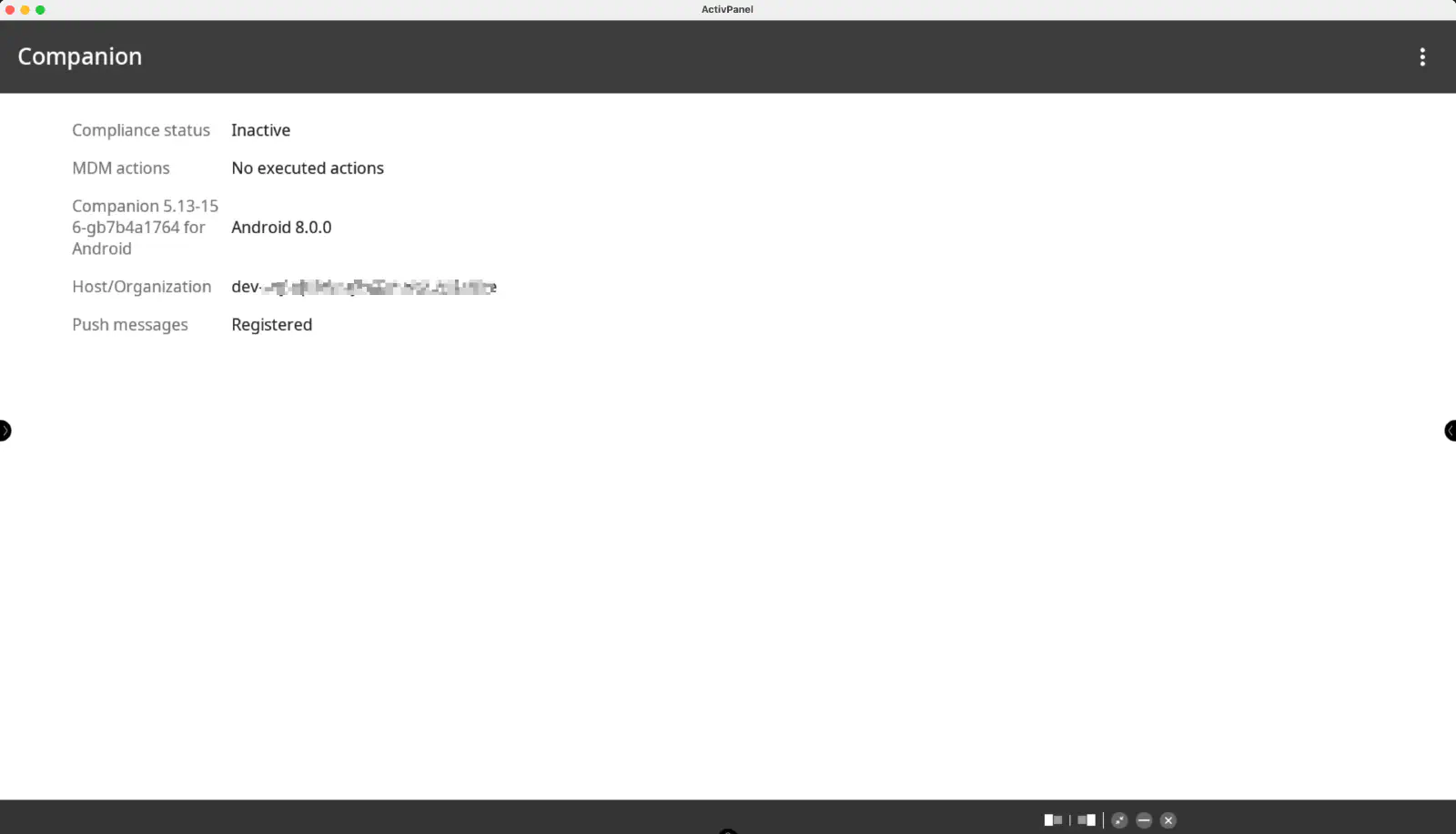
The Relution Companion will then start automatically and prompt confirmation of several instructions and authorizations. Once the enrollment is complete, a confirmation screen will appear - similar to the one shown below:
The remaining on-screen instructions are then followed until the enrollment process is completed.
The device should now appear in the Relution Portal inventory.
Update of the Relution Companion
Depending on the enrollment type and Android version, the Relution Companion is either updated automatically via Relution or must be updated manually. Manual updates can be requested from wende.interaktiv.
The following overview shows which method applies:
| Enrollment subtype | Android version | Update type |
|---|---|---|
| Wende 8 | Android 8 | automatically |
| Wende 9 | Android 9 | automatically |
| Wende 11 | Android 11 | automatically |
| Wende 11 | Android 14 | manually (provided by wende.interaktiv) |
The Companion version that Relution currently provides for Wende 8, Wende 9 and Wende 11 is shown under Settings → Relution Client Apps → Wende companion.
Supported Actions
The following actions can be performed on wende.interaktiv interactive whiteboards via Relution:
| Action | Description |
|---|---|
| Trigger Alarm → | |
| Remove App → | |
| Send File to Device → | |
| Wipe Device → | |
| Reboot Device → | Restart or shut down (Power off option) |
| Locate device | |
| Lock Device → | |
| Refresh Device Info → | |
| Send Message → | |
| Deploy Relution Store App → | |
| Add Shortcut → | Available on Wende 8 and Wende 9 |
| Update Operating System → |
Supported Policies
The following policies are supported on wende.interaktiv interactive whiteboards:
| Policy | Restrictions |
|---|---|
| Kiosk Mode → | Available on Wende 11 |
| EShare → | |
| App Compliance → |
Interactive Board Configuration
The Interactive Board Configuration policy provides the following settings for managing wende.interaktiv interactive whiteboards:
| Setting | Description |
|---|---|
| Lock hardware buttons | |
| Lock remote control | |
| Lock settings | Set a PIN (digits only) to unlock the settings (field Pin to unlock settings, required when the option is enabled) |
| Lock touch input | |
| Brightness | Set brightness to a fixed value |
| Power on automatically | Set weekdays and time for the display to switch on automatically |
| Power off automatically | Set weekdays and time for the display to switch off automatically |
| Lock selected apps |