 Customer Hub
EShare
EShare is a cross-platform software for wireless screen sharing and collaboration between different devices. Among other things, it enables screen mirroring, file transfer and remote control.
The EShare policy allows the settings for EShare on interactive whiteboards to be configured and managed. In the portal, it is marked for whiteboards from Dahua →, heinekingmedia → and wende.interaktiv →.
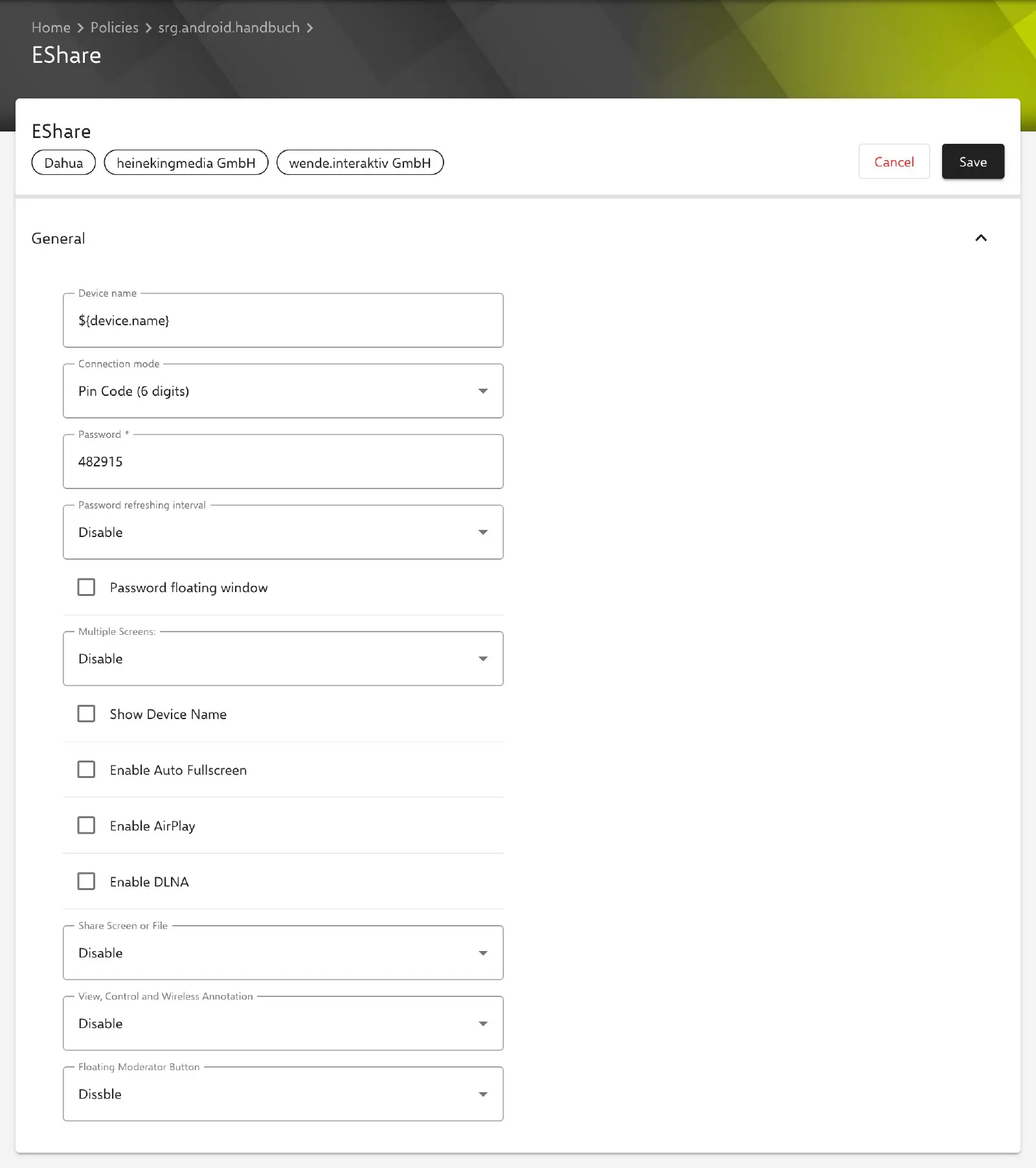
Configuration
The following options are available for configuring EShare:
- Device name: Set the name of the device. The placeholder
${device.name}is preset, so the device name from Relution is used unless it is changed. - Connection mode: Choose Device Name, Pin Code (6 digits) or Letters (8 characters). With Pin Code (6 digits) and Letters (8 characters), the following options are also available:
- Password: Required; without a password, the configuration cannot be saved.
- Password refreshing interval: Disable, 10 Minutes, 30 Minutes, 1 Hour or 1 Day.
- Password floating window
- Multiple screens: Disable or select 2, 4, 6 or 9 screens.
- Show device name: Enable/disable the display of the device name.
- Enable auto fullscreen
- Enable AirPlay
- Enable DLNA
- Share screen or file: Disable sharing screen or file, allow all or allow only with approval.
- View, control and wireless annotation: Disable all options, allow all options, allow only viewing or allow only with approval.
- Floating moderator button: Choose display option: Disable, always display, only on the home screen or auto.
In a new configuration, the connection mode Device Name is preset, all checkboxes are cleared, and Multiple Screens, Share Screen or File, View, Control and Wireless Annotation and Floating Moderator Button are set to Disable.
If the configuration cannot be applied on the device, the compliance violation EShare configuration is shown for the device.