 Customer Hub
Hotspot
The Hotspot policy allows the configuration and management of Wi-Fi hotspot settings on devices remotely. In the portal, it is marked for whiteboards from ADVANTouch →, Clevertouch →, heinekingmedia →, i3-Technologies → and Hikvision.
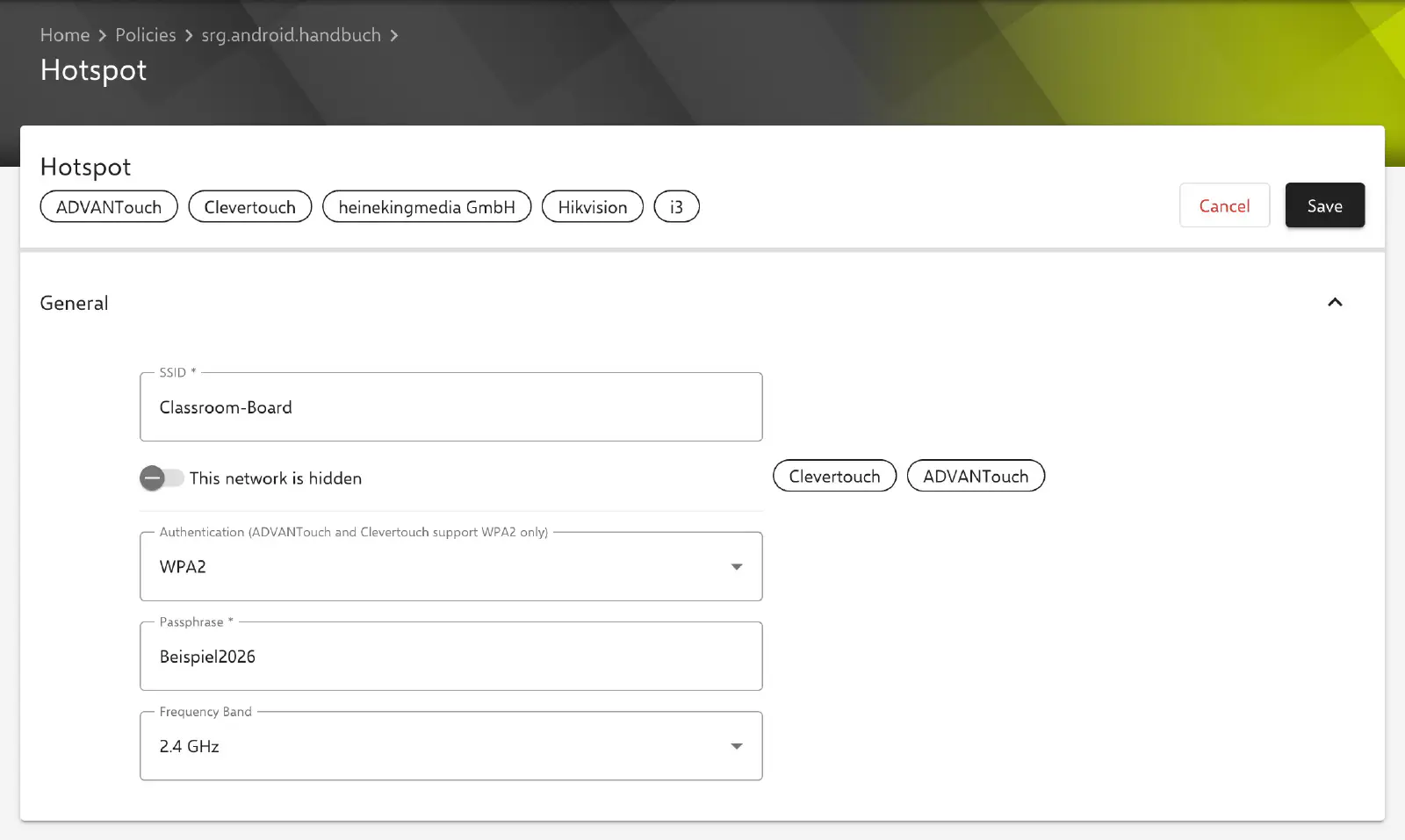
Configuration
The following options are available for configuring the Wi-Fi hotspot:
- SSID: The visible name of the Wi-Fi hotspot used for identification by other devices (required).
- This network is hidden: Disables the visible broadcast of the SSID, preventing the hotspot from appearing in the list of available networks. In the portal, this option is marked for Clevertouch and ADVANTouch only and is disabled by default.
- Authentication: None (open network) or WPA2 (default). ADVANTouch and Clevertouch support WPA2 only.
- Passphrase: Password required to access the hotspot. The field is shown only for WPA2, is then required and must be 8 to 63 characters long.
- Frequency Band: The frequency range of the hotspot, 2.4 GHz (default) or 5 GHz.
If the configuration cannot be applied on the device, the compliance violation Hotspot configuration is shown for the device.