 Customer Hub
BranchCache
The BranchCache policy configuration enables the Windows BranchCache feature on managed devices. BranchCache stores content that a device downloads from a BranchCache-enabled server in a local cache. Other devices on the same network then retrieve this content from the cache instead of fetching it again over the WAN link. The configuration defines the disk space for the cache and the cache mode: distributed cache between the devices or hosted cache on specified servers.
Microsoft describes the individual policies in the documentation of the Policy CSP – ADMX_PeerToPeerCaching →.
Prerequisites
- Windows 10 version 2004 or later as well as Windows 11 in the Pro, Enterprise and Education editions. The configuration is not applied on devices running Windows Home or an older Windows version.
- One BranchCache configuration is possible per policy.
- According to Microsoft, only content from BranchCache-enabled servers is cached, for example from web or file servers with the BranchCache feature enabled.
- Hosted cache mode requires at least one Windows Server acting as a hosted cache server.
General
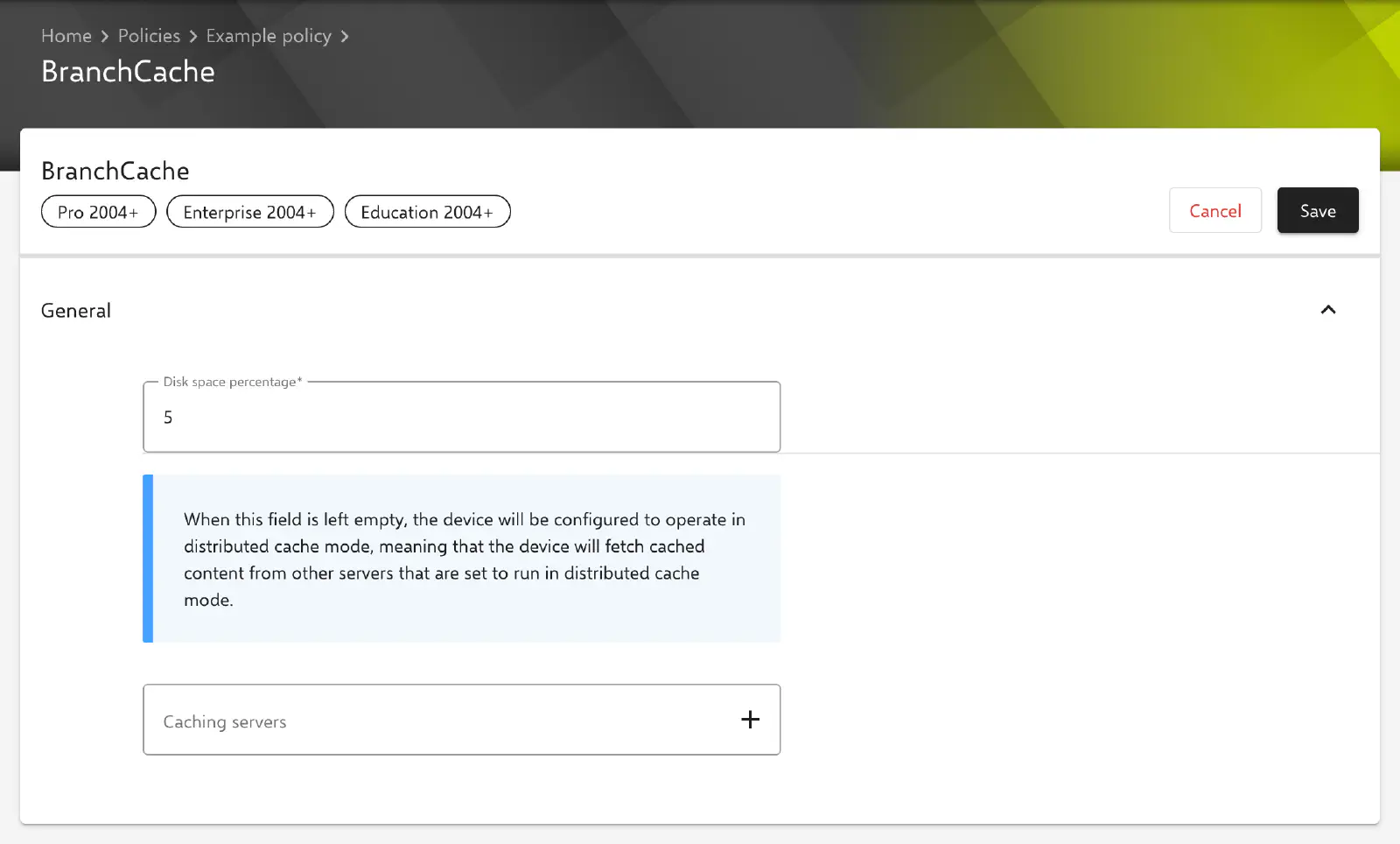
The General section contains all fields of the configuration.
- Disk space percentage (required, default: 5): share of the total disk space that the BranchCache cache may occupy on the device. Values from 1 to 100 are allowed.
- Caching servers: list of the computer names of all servers from which cached content is retrieved. Each entry is added individually; the portal does not check the entries for a valid format.
The content of the Caching servers field determines the cache mode:
- Empty list: the device operates in distributed cache mode. Cached content is exchanged directly between the devices on the same network that also run in distributed cache mode. The information text above the field points this out as well.
- At least one entry: the device operates in hosted cache mode and retrieves cached content from the listed servers. Distributed cache mode is disabled in this case. The first entry of the list is additionally set as the server of the hosted cache mode policy, and the complete list, in the order entered, as the list of multiple hosted cache servers.
Transfer to the device
Relution transfers the settings via the ADMX-backed Policy CSP ADMX_PeerToPeerCaching under ./Vendor/MSFT/Policy/Config/ADMX_PeerToPeerCaching/. BranchCache itself is always enabled; the configuration has no switch to disable it.
| CSP node | Without caching servers | With caching servers |
|---|---|---|
EnableWindowsBranchCache | enabled | enabled |
SetCachePercent | enabled with the value from Disk space percentage | enabled with the value from Disk space percentage |
SetDataCacheEntryMaxAge | enabled | enabled |
EnableWindowsBranchCache_Distributed | enabled | disabled |
EnableWindowsBranchCache_Hosted | disabled | enabled with the first entry from Caching servers |
EnableWindowsBranchCache_HostedMultipleServers | disabled | enabled with all entries from Caching servers |
The maximum age of segments in the data cache (SetDataCacheEntryMaxAge) cannot be set in the portal. The automatic discovery of hosted cache servers (EnableWindowsBranchCache_HostedCacheDiscovery) and BranchCache for network files (EnableWindowsBranchCache_SMB) are not set; these settings keep the Windows default and can be set via a Custom CSP → if required.
In addition, Relution passes the configuration to the Relution Companion for Windows →.
If the configuration is removed from the policy or the policy is removed from the device, Relution deletes the ADMX_PeerToPeerCaching node and thus all BranchCache policies on the device.
Relution as a BranchCache-enabled server
Relution also supports BranchCache when delivering its own files, such as app packages. If a Windows device requests a file of 50 MB or more with BranchCache support (HTTP encoding peerdist), Relution responds with the BranchCache content information of the file. According to Microsoft, the device then loads the data from the cache on its own network and only missing parts from the server. Smaller files are delivered directly by Relution as before.
Related topics
- Available configurations → — overview of all policy configurations for Windows.
- Windows Companion → — installation and tasks of the Relution Companion for Windows.
- Custom CSP → — further BranchCache policies not covered by the configuration.
- Windows Home Limitations → — policies and actions on Windows Home.
- Content Caching → — the corresponding caching for Apple devices via a Mac.