 Customer Hub
Remote desktop service
The Remote desktop service policy configuration defines whether a Windows device accepts incoming Remote Desktop connections (RDP). It contains a single switch and corresponds to the group policy “Allow users to connect remotely by using Remote Desktop Services”.
Microsoft describes the setting in the documentation of the Policy CSP – RemoteDesktopServices →.
Prerequisites
- The configuration is created under
Devices→Policiesin a Windows policy via Add Configuration → Remote desktop service. - One Remote desktop service configuration is possible per policy.
- The portal shows no edition or version badges for the configuration, and Relution transfers it to all Windows editions. According to Microsoft, the setting is evaluated from Windows 10 version 1709 in the Pro, Enterprise and Education editions. Windows Home cannot act as a Remote Desktop host.
General
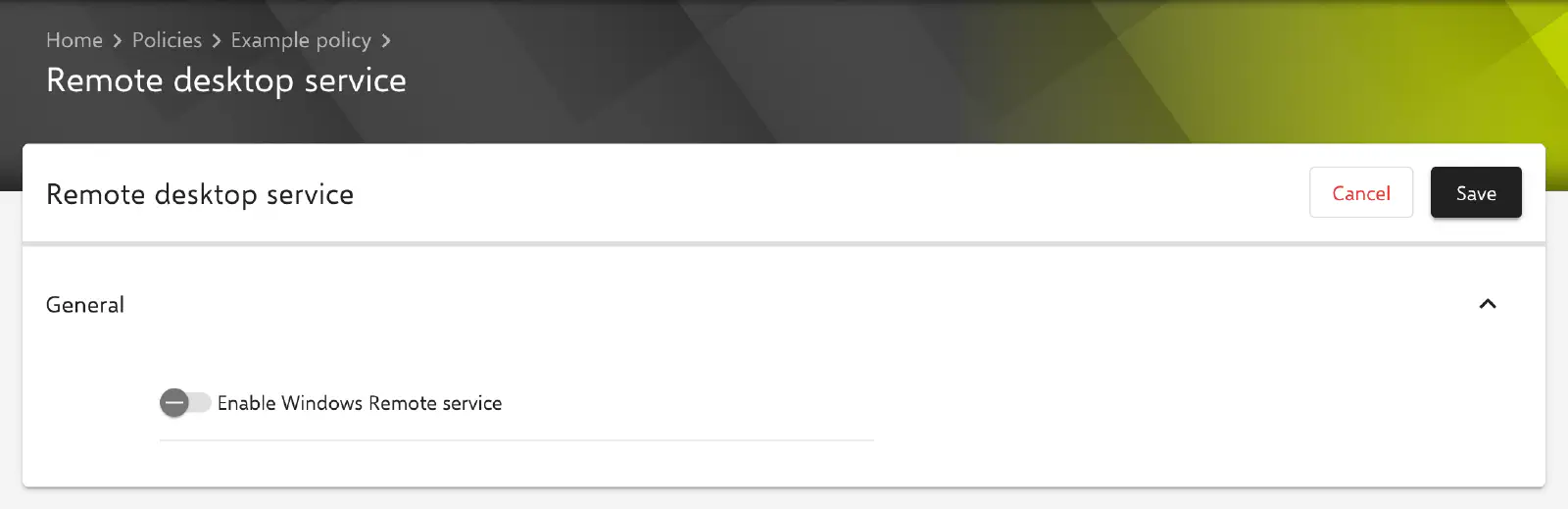
The General section contains one switch:
- Enable Windows Remote service (default: disabled)
- Enabled: users who are members of the local Remote Desktop Users group on the device can connect to the device via Remote Desktop. By Windows default, this also applies to members of the local Administrators group.
- Disabled: Remote Desktop connections to the device are blocked. According to Microsoft, existing sessions are kept and new incoming connections are rejected.
The configuration sets only this one value. It does not define:
- the members of the Remote Desktop Users group,
- Windows Firewall rules for incoming Remote Desktop connections (TCP port
3389by default), see Windows Firewall →, - other Remote Desktop settings such as the encryption level or drive redirection. These can be set via a Custom CSP → if required.
Transfer to the device
Relution transfers the setting as an ADMX-backed policy to the node ./Vendor/MSFT/Policy/Config/RemoteDesktopServices/AllowUsersToConnectRemotely, with the value <enabled/> when the switch is enabled and <disabled/> when it is disabled.
When the configuration is removed from the policy or the policy is removed from the device, Relution deletes the area ./Vendor/MSFT/Policy/Config/RemoteDesktopServices. According to Microsoft, the local setting from the system properties of the device then applies again.
Related topics
- Available configurations → — overview of all configurations for Windows.
- Windows Firewall → — firewall profiles and rules for Windows devices.
- Custom CSP → — further Remote Desktop settings from the Policy CSP.
- Windows Home Limitations → — policies and actions on Windows Home.